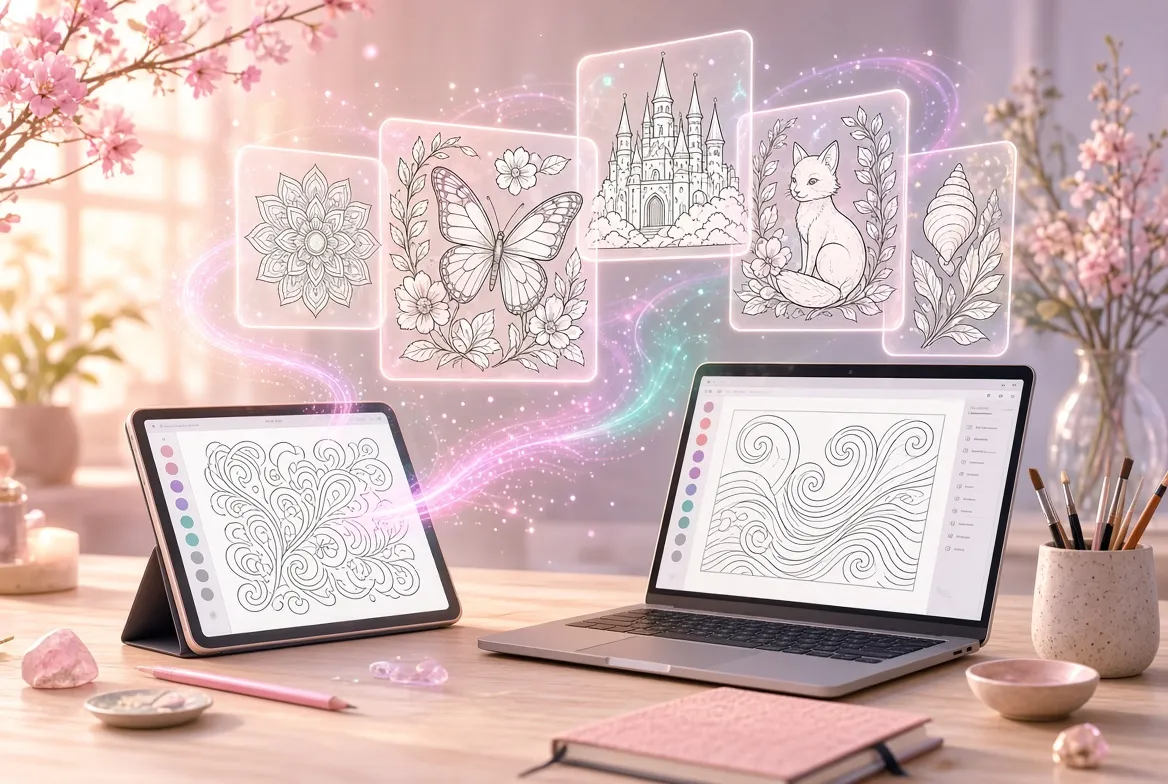
AI coloring page generators free to use have become one of the most practical AI tools for families, teachers, and creators. Instead of scrolling through the same recycled clip-art sheets, you can describe any scene in plain words or upload a photo, and get a clean, printable line-art page in seconds. These free AI coloring page generators work for nearly every situation: a dinosaur astronaut for a six-year-old’s birthday party, an intricate mandala for a stressed adult, or a themed worksheet set for tomorrow’s lesson. This guide compares seven solid options available in 2026, grouped by who they serve best — kids, adults, and teachers — plus a comparison table, prompting tips, a print workflow, common mistakes, and answers to frequent questions.
The choice of tool matters because not all AI art handles coloring pages well. A beautiful grayscale illustration is useless for coloring if it has shaded gradients, broken outlines, or tiny unclosable gaps that frustrate little hands. The AI coloring page generators free to use below are ranked on their ability to produce crisp black-and-white line art with closed shapes, sensible line weight for the target age group, and downloads that print cleanly on ordinary home printers.
AI Coloring Page Generators Free for Kids in 2026
Pages for children need bold closed outlines, simple shapes, and themes kids actually care about. These three AI coloring page generators free to use handle kid-friendly generation better than anything else, each with a genuinely usable free tier.
1. ColorBliss — Best Overall for Families
ColorBliss is a dedicated AI coloring page platform built for this exact job. You can start from a text prompt, upload a favorite photo, or clean up a rough hand-drawn sketch, and the generator returns printable line art in seconds. Its free tier lets you try the generator with no credit card and no signup, making it the easiest tool here to test drive. Downloads come as high-resolution PNG or print-ready PDF files at 300 DPI, sized for standard home printing.
Where ColorBliss pulls ahead is features general AI tools lack. The photo-to-coloring-page converter strips busy backgrounds and extracts clean edges, so a snapshot of the family dog becomes a recognizable page. Word art generation turns names and quotes into pages for banners and gifts, and a consistent-characters feature keeps the same character identical across a series of pages. Its built-in Magic Color mode even lets kids color digitally with marker, watercolor, crayon, and pastel styles — a lifesaver on flights. Free access is generous, though heavy users will eventually want an account and creators selling books need a paid plan with commercial licensing. Try it at the official site: ColorBliss.
- Three creation paths: text prompt, photo upload, and sketch cleanup
- Print-ready PNG and PDF downloads at 300 DPI
- Word art, consistent characters, and in-app digital coloring
- Free to try with no signup; paid plans add bulk generation and commercial licensing
2. Mimi Panda — Best Photo-to-Coloring Converter
Mimi Panda excels at turning your own photos into coloring pages. Upload a JPG, PNG, WEBP, or HEIC file, pick a coloring style, and the AI converts it into black-and-white line art in about a minute. A grandparent’s portrait, a child’s drawing, or a vacation photo becomes a one-of-a-kind page no store-bought book contains. Generations are free with no account required, refreshing on a weekly schedule, and downloads carry no watermarks.
Mimi Panda also offers a prompt-based generator tuned for coloring rather than generic AI imagery. It draws closed outlines with line weight matched to the age group you select: simpler shapes for kids, moderate complexity for teenagers, finer detail for adults. Multiple print formats are supported, and it also makes paint-by-number templates from the same photos. The free tier covers only a small number of generations per week, so it suits occasional personal projects rather than mass production, and clear well-lit photos convert far better than dark or cluttered ones. Visit the official site: Mimi Panda.
- Photo-to-coloring conversion with no signup and no watermarks
- Prompt generator with Kids, Teenagers, and Adults detail levels
- Multiple print formats plus bonus paint-by-number templates
- Limited free generations refreshing weekly; a free account unlocks history and extras
3. Canva — Best for Custom Themes and Printables
Canva is not a dedicated coloring page generator, but its AI image features make it one of the most flexible free options. Using text-to-image, a prompt like “simple black and white coloring page outline of a rocket ship, bold lines, no shading, for children” produces usable line art — and because you are inside a full design editor, you can add a child’s name in a playful font, arrange four pages on one sheet, or build an entire themed activity pack. The free plan is famously generous.
The real advantage is everything around the image: drop a generated outline into a worksheet template, combine coloring pages with mazes or word searches, and export a polished multi-page PDF in minutes. For party favors, classroom handouts, or holiday activity books, that end-to-end control beats single-purpose generators. The tradeoff is that Canva’s general-purpose model sometimes produces shaded areas or broken outlines, so inspect each generation and regenerate as needed. Prompt wording matters more here than in dedicated tools.
- AI text-to-image works well with explicit “coloring page” prompts
- Full editor: add names, text, and combine pages into activity packs
- Large template library for worksheets and party printables
- Very generous free plan; no credit card needed
Best AI Coloring Page Generators for Adults in 2026
Adult pages live or die on detail: fine line work, balanced compositions, and patterns complex enough to hold attention. Both AI coloring page generators free to use below are tuned for intricate output and offer free access to evaluate quality first.
4. Coloring Book AI — Best Dedicated Generator for Intricate Pages
Coloring Book AI is purpose-built for detailed, print-ready coloring pages from text prompts. Its models output clean black line art by default, saving you the frustration of regenerating pages that come back half-shaded — a common failure with general image generators. The free tier gives enough generations to test styles and build a small collection, with paid plans for heavier use.
Its strength for adult colorists is control over complexity. You can steer generations toward mandalas, zentangle patterns, botanical illustrations, fantasy scenes, or architectural studies, and the line work stays consistent enough that pages look like they belong in a professionally published book. That consistency matters when assembling a themed collection or a gift book. Extremely specific compositions may still need a few prompt iterations, and batch-building an entire book will require a paid plan or patience. For adults wanting intricate pages without learning prompt engineering, it is among the most reliable AI coloring page generators free to try.
- Clean black line art by default, no prompt tricks needed
- Strong at mandalas, zentangle, botanical, and fantasy themes
- Consistent line quality for themed collections and gift books
- Free tier for testing; paid plans for high-volume generation
5. Easy-Peasy.AI — Best for Creators Building Sellable Books
Easy-Peasy.AI includes a coloring book generator inside a broader AI creative suite, and its standout strength is the path from generation to commercial product. It converts ideas into printable outlines with style presets and clear commercial-use licensing options — exactly what aspiring creators need when the goal is selling printed books. The limited free plan is functional enough to prototype a book concept and judge whether the style fits your niche.
Because it lives in a larger suite, you can pair page generation with writing and design tools: draft title and description copy, generate a cover concept, and keep everything in one workflow. Style presets maintain a cohesive look across dozens of pages — the difference between a professional book and a random image dump. It is not the simplest tool for a parent wanting one dinosaur page, and it is weaker at photo conversion than dedicated converters. But if you plan to sell, starting with licensing and stylistic consistency handled from day one saves painful rework. And the legal essentials apply everywhere: only sell pages from your own original prompts, never featuring copyrighted characters.
- Style presets for cohesive, book-ready page series
- Clear commercial-use licensing for creators selling printed books
- Integrated writing and design tools for covers and descriptions
- Limited free plan; paid tiers unlock volume and full commercial features
Best AI Coloring Page Generators for Teachers and Classrooms
Teachers need curriculum relevance, batch output, and tools that fit lesson planning. These two AI coloring page generators free to use integrate coloring pages into broader teaching workflows rather than standing apart from them.
6. Canva for the Classroom — Best All-in-One Teaching Toolkit
Canva earns a second mention as arguably the most classroom-ready platform among AI coloring page generators free to use. Teachers can generate themed pages with the AI image tool, then place them into lesson worksheets, vocabulary sheets, and bulletin board designs using education templates. The free tier covers the vast majority of classroom needs.
Picture the scenarios: a science teacher generating simple diagrams as coloring pages for a water-cycle unit, a language teacher making vocabulary sheets students color and label, or an elementary teacher producing a full set of holiday activity pages in one afternoon. Finished materials look professional enough to send home, and sharing via links or printable PDFs works on school printers. As with parents, prompts need explicit coloring-page wording, and you should review pages before printing a class set. Never generate text inside the image itself — AI still garbles lettering — and add all labels with Canva’s text tools instead.
- Generate pages and build complete worksheets in one platform
- Education templates for vocabulary, science diagrams, and activity packs
- Easy sharing via links and print-ready PDF export
- Generous free plan suitable for regular classroom use
7. ChatGPT with Image Generation — Best for Curriculum-Specific Prompts
Conversational AI with built-in image generation, such as ChatGPT, is surprisingly strong for teachers because you iterate in plain language. Describe the lesson need — “a simple coloring page showing the parts of a flower for 8-year-olds, bold outlines, labels as blank lines” — then refine: “make the petals bigger,” “remove the background details.” That back-and-forth is something single-shot generators cannot match.
The free tier includes image generation, making this one of the most accessible AI coloring page generators free to try for educators who already use conversational AI for lesson planning. It shines for niche topics where no worksheet exists: a specific historical scene, a local ecosystem diagram, or vocabulary illustrations matched to this week’s word list. You can even draft accompanying instructions or quiz questions in the same session. Two warnings: always specify “black and white line art, no shading, closed outlines,” and verify factual content in educational diagrams — AI invents anatomically creative flowers, so a teacher’s eye must approve every page.
- Conversational refinement in plain language
- Excellent for niche curriculum topics with no pre-made materials
- Draft worksheets and quizzes in the same session
- Free tier includes image generation
Comparison Table: 6 Free AI Coloring Page Generators at a Glance
Match a tool to your situation in seconds. All six offer genuinely usable free access; the differences come down to input style, output control, and intended audience.
| Tool | Best For | Input Types | Output and Download | Free Access |
|---|---|---|---|---|
| ColorBliss | Families and kids of all ages | Text prompt, photo, sketch | PNG and PDF at 300 DPI, print-ready | Free to try, no signup or credit card |
| Mimi Panda | Personal photo-based pages | Photo upload, text prompt | Full-size JPG, no watermark | Limited free generations, refresh weekly |
| Canva | Custom themes, layouts, activity packs | Text prompt via AI image tool | PNG, JPG, or multi-page PDF | Generous free plan |
| Coloring Book AI | Intricate adult pages | Text prompt with style controls | High-resolution PNG downloads | Free tier for testing styles |
| Easy-Peasy.AI | Creators building sellable books | Text prompt with style presets | Printable outlines, book-ready exports | Limited free plan |
| ChatGPT | Teachers, curriculum-specific pages | Conversational text prompts | Downloadable image files | Free tier includes image generation |
Pro Tips for Getting Perfect Coloring Pages from AI
The difference between a page kids fight over and one that hits the recycling bin is usually the prompt, not the tool. These techniques work across nearly all AI coloring page generators free to use.
Tip 1: Say “coloring page” and “line art” explicitly
AI image models default to finished, shaded illustrations unless told otherwise. Always include “black and white coloring page,” “clean line art,” “bold outlines,” and “no shading, no color, no grayscale” in your prompt. This eliminates the most common failure: a gorgeous illustration that is impossible to color. If a tool offers a dedicated coloring style preset, use it instead of relying on prompt words alone.
Tip 2: Match detail level to the age group
A page for a four-year-old needs big simple shapes, thick lines, and white space; a ten-year-old can handle backgrounds and smaller elements; adults want fine detail. State the audience in the prompt: “for children ages 4 to 6, very simple, thick bold lines.” Pages pitched at the wrong complexity are the number one reason kids abandon a sheet halfway.
Tip 3: Keep compositions simple and centered
Ask for one clear subject with a minimal background. “A cute elephant” beats “an elephant in a detailed jungle scene” for young kids, because every extra element is another chance for broken or tangled lines. If the background comes back cluttered, regenerate with “plain white background” added.
Tip 4: Generate at the highest resolution available
Line art that looks crisp on a phone can turn fuzzy printed at letter size. Always choose the highest resolution setting, and prefer PDF or PNG over compressed JPGs. A 300 DPI file prints cleanly at full page size; a low-resolution preview scaled up shows jagged edges that make coloring less enjoyable.
Real-World Workflow: From Prompt to Printed Page in 10 Minutes
Here is the exact routine for a Saturday morning request like “a coloring page of a dragon having a birthday party” — adaptable to any free tool above.
- Pick your tool for the job. New invented scene: a prompt-based generator like ColorBliss. Photo-based page: Mimi Panda’s converter. Themed party pack with names: Canva.
- Write a specific prompt. “Cute baby dragon wearing a party hat, holding balloons, birthday cake on a table, simple black and white coloring page for kids ages 5 to 7, bold clean outlines, no shading, plain background.” Subject, action, age group, and style constraints all present.
- Generate and inspect at full size. Zoom in: are shapes closed? Are lines continuous? Any extra limbs or melted faces? Tweak one phrase and regenerate if needed.
- Download the highest-quality file. PDF for sharpest print, or PNG at maximum resolution. Save with a descriptive name like “dragon-birthday-age5.pdf.”
- Print a test copy first. Hand it to the child before printing twenty party copies. If lines are too thin or details too fiddly, you will know within minutes.
- Batch the rest once approved. Generate remaining pages with consistent prompts so the set feels cohesive, then print the full batch.
Total active time is about ten minutes once you know the routine. The test-print step is the one people skip and regret: one wasted sheet is far cheaper than a stack of unusable pages and a disappointed child.
Common Mistakes to Avoid
Most bad experiences with free AI coloring page tools come from a handful of avoidable errors. Check this list before printing a stack.
Mistake 1: Accepting shaded or grayscale output
Do not download the first pretty result without checking for gray shading or gradients — they cannot be colored cleanly and they waste ink. Verify pure black lines on white before printing, and keep “no shading, no grayscale” in every prompt.
Mistake 2: Ignoring broken and open outlines
AI models sometimes leave small gaps or sketchy double lines. For adults with fine markers this is minor; for young children with crayons it makes staying inside the lines nearly impossible. Zoom into the digital file and check for gaps before printing, especially around faces and overlapping objects.
Mistake 3: Generating copyrighted characters
A famous cartoon character’s name might produce a recognizable page, but using it — especially selling it — infringes copyright and can get listings removed. Build pages around original prompts instead: “a brave young knight with a friendly dragon” brings the same excitement with none of the legal risk.
Mistake 4: Printing at the wrong size or quality
Stretching a small preview to fill a page gives blurry, jagged lines, and an intricate adult design printed too small becomes uncolorable. Match download resolution to print size, use the highest quality setting, and print detailed pages at full letter or A4 while simple kids’ pages can go two-up to save paper.
Frequently Asked Questions
Are AI coloring page generators really free?
Yes, with limits. Every tool here offers a usable free tier: trial generations with no signup, a generous ongoing free plan, or limited free generations refreshing periodically. Limits mostly affect volume, not the ability to generate and download printable pages. Paid plans exist for heavy users and commercial licensing, but ordinary parents and teachers can operate entirely on free tiers.
What is the best free AI coloring page generator for kids?
ColorBliss is the strongest all-around pick: purpose-built for coloring pages, no signup to try, and print-ready files at proper resolution. Mimi Panda wins for turning personal photos into pages, and Canva wins for themed activity packs with text and layouts. Try each once and see which output style your child prefers.
Can I sell coloring books made with these free tools?
Sometimes, but the free tier is rarely the whole story. Commercial use depends on each platform’s licensing terms — some include commercial rights only on paid plans. Always read the current terms before selling, keep records of which tool generated each page, and never use copyrighted characters or likenesses.
How do I get clean outlines instead of shaded images?
Put style constraints in your prompt: “black and white coloring page, clean line art, bold outlines, no shading, no color, no grayscale, white background.” Use a dedicated coloring preset when offered, and avoid prompts inviting realism like “photorealistic” or “cinematic lighting.”
What file format should I download for printing?
PDF is best when available because it preserves sharp lines at any size. Otherwise download the highest-resolution PNG offered. Avoid printing from small on-screen previews or heavily compressed images, since upscaling introduces jagged edges.
Can teachers use these tools for classroom materials?
Absolutely. AI coloring page generators free to use suit vocabulary sheets, science diagrams, holiday activities, and reward materials. Check your school’s AI content policy first, and avoid uploading photos of students to third-party converters without proper consent.
Do AI coloring pages work for adults and stress relief?
Yes. AI-generated mandalas, botanical illustrations, and zentangle patterns work as well for relaxation as traditionally published pages, with the bonus of infinite variety. Choose a detail-tuned generator, print at full letter or A4 on decent paper, and use fine-tipped markers or colored pencils.
Conclusion: The Best AI Coloring Page Generators Free in 2026
The best AI coloring page generators free to use in 2026 are practical tools, not novelties. Start with ColorBliss for fast family-friendly results, use Mimi Panda when a personal photo should become the page, reach for Canva for full printable layouts, try Coloring Book AI for intricate adult designs, consider Easy-Peasy.AI if you plan to sell books, and lean on ChatGPT when a lesson needs something no worksheet covers. Remember the fundamentals: prompt explicitly for line art, match detail to the audience, inspect outlines before printing, and respect copyright. Do that, and you will have an endless supply of custom coloring pages for kids, classrooms, and quiet evenings — without spending a cent on the designs themselves.

Modern coloring page generators make custom printables effortless. The best AI coloring page tools produce clean line art with closed shapes perfect for crayons. When comparing coloring page generators, print a test page — the top coloring page generators stay crisp at full letter size.
Free tiers from leading coloring page generators are perfect for parents and teachers. Create a few themed pages, test them with kids, and build activity packs. As needs grow, paid plans from premium coloring page generators unlock bulk generation and commercial licensing. Always check line quality — even the best coloring page AI leaves gaps.
Pair your coloring page generator with specific prompts. Parents who mention age and theme get better results from coloring page tools than those typing “coloring page.”
Related guides: