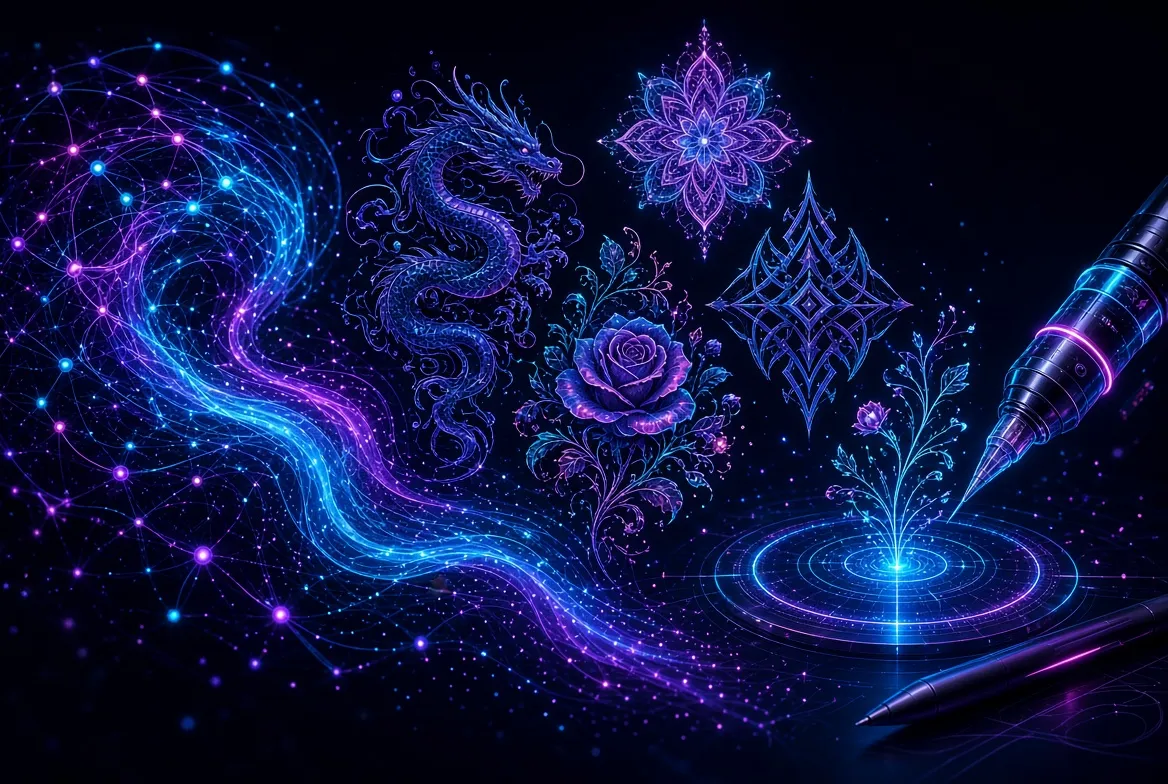
Getting a tattoo is a big commitment, and the design you choose will live on your skin for decades. That is exactly why AI tattoo design generators free tools have exploded in popularity: they let you explore dozens of tattoo ideas in minutes, at zero cost, before you ever talk to an artist. Instead of scrolling endlessly through stock flash sheets or paying for multiple design consultations, you can type a description of what you want, pick a style, and watch the AI turn your words into a unique piece of art. Whether you are planning your first tattoo or your fifteenth, these free generators remove the most stressful part of the process — imagining what the final design could actually look like.
In this guide, we review the seven best free AI tattoo design generators you can use in 2026. We will compare dedicated tattoo AI platforms with general-purpose AI image generators that happen to be excellent at tattoo-style artwork, plus an augmented-reality try-on tool that shows you how a design sits on your actual body. You will also find practical prompting techniques, a step-by-step workflow that takes you from a vague idea to a stencil-ready reference, and the mistakes to avoid so you do not end up with a tattoo that looked great on screen but fails as ink. Everything here is based on tools you can actually use for free right now — no credit card required for the basic plans.
Why Use AI Tattoo Design Generators Free?
The classic route to a tattoo design is to walk into a studio, describe your idea to an artist, and wait — sometimes days — while they sketch it. That process works, but it is slow and expensive if you are still figuring out what you want. Free AI tattoo design generators flip the dynamic: you arrive at the studio with a concrete visual reference instead of a vague verbal description. Artists consistently report that clients who bring reference images get better results, because the artist can see the exact style, composition, and mood you are after instead of guessing.
There is also a creative freedom angle. A free generator lets you test wild ideas without judgment or cost: What would a Japanese-style koi sleeve look like as a small ankle piece? Would a fine-line botanical design suit your forearm, or does blackwork geometry fit better? You can generate fifty variations across five styles in the time it would take an artist to draw one sketch. That volume of experimentation is what makes the difference between “I kind of like tattoos” and “I know exactly what I want tattooed on my ribs” — and AI tattoo design generators free of charge remove every barrier to getting there.
One honest caveat before we dive in: AI tattoo art is a starting point, not a finished tattoo. Most generators produce flat, print-style images, and tattoos have their own constraints — line weights need to survive aging, small details can blur, and some AI outputs contain the anatomically impossible (six-fingered hands are the classic example). Treat every AI-generated design as a reference for your tattoo artist, not as a stencil you can hand over unedited. With that understanding, let us look at the tools.
The 7 Best Free AI Tattoo Design Generators in 2026
Below are seven tools that reliably produce tattoo-worthy designs without requiring payment. We have grouped them into dedicated tattoo generators, general AI image platforms that excel at tattoo prompts, and one try-on tool that completes the experience.
1. Tattoos AI
Tattoos AI is one of the most popular purpose-built tattoo generators on the web, and it exists for exactly one reason: turning text prompts into tattoo designs. Instead of a generic image model with a thousand settings, you get a streamlined interface where you type what you want, choose a tattoo style (options typically include categories like traditional, blackwork, fine line, watercolor, realism, and Japanese), and receive a design tuned to how tattoos actually need to look. The site even frames designs on body placements so you can judge scale and flow, which is something generic generators never do.
What makes Tattoos AI stand out in the free tier is its speed and specificity. Because the model is prompted behind the scenes with tattoo-aware instructions, you get cleaner linework and more usable compositions than you would from typing the same prompt into a general image generator. Free users can create designs without signing up in many cases, which removes the biggest friction point of all: the signup wall. The designs tend to skew toward popular styles like blackwork and traditional flash, so if you are after minimalist fine-line work, you will want to test a second tool as well.
Limitations are what you would expect from a free niche tool. You cannot fine-tune anatomy or iterate on tiny details as precisely as you can in a full AI studio, and complex prompts with multiple subjects sometimes collapse into something simpler than you described. But as a fast, no-commitment brainstorming engine for tattoo ideas, it is hard to beat, and it belongs at the top of anyone’s list.
2. ArtGuru AI Tattoo Generator
ArtGuru is an AI art platform that includes a dedicated tattoo generator mode, and it deserves a spot here because its tattoo-specific presets genuinely understand the medium. You describe your concept, pick from style filters aimed at tattoo aesthetics, and get several variations per prompt. The interface is friendly enough for total beginners — there is no parameter jargon, just a text box and style choices — which makes it a good first stop if you have never used AI image tools before.
The strength of ArtGuru is iteration. Free users get a batch of images for each generation, so you can scan four or five takes on your idea at once and steer toward the one that resonates. That matters for tattoos, where the difference between a good and great design often comes down to composition details you cannot articulate until you see them. The platform also handles text-in-design better than most free tools, which is useful if your concept includes lettering, dates, or short quotes — notoriously tricky territory for AI.
On the downside, the free plan is limited and watermarking or resolution caps can make designs less useful as artist references. ArtGuru’s tattoo outputs are also stylized rather than technically precise, so you should expect your tattoo artist to redraw the design with proper line weights and tattoo-safe anatomy. Still, for rapidly generating a gallery of ideas around a theme — say, ten variations of a moth-and-moon concept — it is excellent.
3. Leonardo AI
Leonardo AI is a general-purpose AI image platform, but it earns a place on this list because it is one of the most powerful free options for tattoo-style artwork. Leonardo’s models are strong at line art, illustration, and stylized compositions, and the platform offers fine-grained control: negative prompts, reference image guidance, style presets, and the ability to upscale outputs. For someone who wants more than a one-click generator, this is where free AI tattoo design gets serious.
The way to use Leonardo for tattoos is to combine its illustration-focused models with careful prompting. Ask for a “tattoo flash sheet design, bold clean linework, solid blacks, no background” and you will get remarkably usable results. The negative prompt field is the secret weapon: listing things like “photorealistic skin, blurry, watermark, text, extra fingers” filters out the artifacts that plague tattoo mockups. Leonardo also lets you generate on transparent or plain backgrounds, which makes it easy to hand your artist a clean reference image.
The learning curve is steeper than the dedicated tattoo tools — settings like guidance scale and sampler choice will mean nothing to you on day one — but the payoff is higher-quality, more original designs. The free tier is genuinely generous compared with most AI art platforms, giving daily credits that reset, so you can iterate over several sessions without paying. If you are willing to spend an evening learning the basics, Leonardo will outperform every one-click tattoo generator on this list in raw output quality.
4. Ideogram
Ideogram is another general AI image generator with a specific superpower that tattoo hunters should care about: it renders text and lettering far more accurately than its competitors. If your tattoo concept includes script, a name, a date, or a short phrase woven into the design, Ideogram is the free tool most likely to spell it correctly. That alone makes it worth having in your workflow, because bad lettering is the most common AI artifact in tattoo designs.
Beyond text, Ideogram produces clean, graphic, poster-style imagery that translates naturally to tattoo flash. Fine-line botanicals, geometric mandalas, ornamental sleeves, and illustrative blackwork all come out well, especially when you specify “flat design, vector-style illustration, tattoo flash sheet” in your prompt. The interface is simple — prompt box, aspect ratio, a few style options — so it sits in the sweet spot between the one-click tattoo generators and the complexity of Leonardo.
Free users get a solid daily allowance of generations, enough for several rounds of iteration per day. The main limitation is control: you cannot do negative prompts or detailed parameter tuning, so you are more dependent on luck and prompt wording than in Leonardo. Run your best concepts through both and compare — many tattoo hunters end up using Ideogram for lettering-heavy designs and Leonardo for everything else.
5. Canva Magic Media
Canva is not the first tool people associate with tattoo design, but its Magic Media AI image generator is free, fast, and attached to the best lightweight editing toolkit on this list. That combination matters: once you generate a tattoo design, you can immediately resize it, flip it, add text around it, drop it onto a background, or build a mood board of variations — all inside the same free account.
Magic Media’s tattoo outputs are best described as good starting sketches rather than finished art. It handles simple, bold concepts well — minimal geometric pieces, small symbolic designs, floral motifs — and struggles with the intricate detail work that dedicated models manage. But the real value is the workflow. Generate a design, then use Canva’s editing tools to mock it up at real-world scale, create a one-page reference sheet for your artist with multiple options side by side, and export a clean PDF or PNG to take to the studio.
For absolute beginners, this is arguably the friendliest entry point. There is no new interface to learn if you already use Canva, the free plan includes a usable number of AI generations, and the design skills you build (layout, composition, typography) directly help you communicate with your tattoo artist. Just keep expectations calibrated: use Canva to explore and present ideas, not to produce your final artwork.
6. Inkbox AI Tattoo Generator
Inkbox is best known for its temporary tattoos, but its free AI tattoo generator is a hidden gem for one reason: the designs it produces are actually engineered to work as tattoos. Because the company’s business is ink that goes on skin, its generator biases toward designs with clean lines, workable contrast, and compositions that survive the transition from screen to body. You describe your idea, and the tool returns designs in a style that is closer to real flash art than to generic AI illustration.
The standout advantage is that Inkbox can bridge the gap between digital idea and physical test: many users generate a design and then order it as a temporary tattoo to wear for a week or two before committing to permanent ink. That is a genuinely unique workflow — no other tool on this list lets you preview a design on your own body for days at a time before seeing an artist. Even if you never order anything, the generator itself is a fast, free way to sanity-check whether a concept works in a tattoo-realistic style.
The trade-off is variety. The generator is tuned toward the aesthetic Inkbox sells — contemporary, minimal, fine-line-leaning designs — so it is less useful if you want traditional Americana sleeves or heavy blackwork. Output volume per session is also modest. But for testing whether your idea works as an actual wearable tattoo, nothing else on this list is as grounded in physical reality.
7. InkHunter
InkHunter is not a design generator at all — it is an augmented-reality try-on app, and it earns its place because designing a tattoo and judging it are two different jobs. Once you have a design from any of the tools above, InkHunter lets you point your phone camera at your arm, chest, back, or leg and see the design projected onto your body in real time. You can resize it, rotate it, and check how it flows with your anatomy and existing tattoos before committing.
This step solves the problem every other tool has: flat images cannot tell you whether a design works at the size you want, on the body part you want. A mandala that looks stunning at poster size can be an unreadable blob at three inches wide; a forearm piece that looks balanced on screen can clash with your muscle lines in real life. InkHunter reveals all of that in seconds. It also helps you photograph candidate placements to show your artist, which is one of the most useful reference materials you can bring to a consultation.
The free app covers the core try-on functionality, and it accepts any image — not just designs made in InkHunter — so it pairs perfectly with the generators above. The AR tracking is not perfect on curved areas like shoulders and ribs, so treat it as a placement guide rather than a final verdict. But as the last step before booking, it is the closest thing to seeing the future.
Free AI Tattoo Generators Compared
Here is how the seven tools stack up side by side, so you can pick the right starting point for your style and skill level.
| Tool | Type | Best for | Ease of use | Free plan notes |
|---|---|---|---|---|
| Tattoos AI | Dedicated tattoo generator | Fast brainstorming in classic tattoo styles | Very easy | Free to use without signup in many cases |
| ArtGuru | AI art platform, tattoo mode | Rapid variations and text-in-design | Easy | Free tier with limited generations |
| Leonardo AI | General AI image platform | High-quality, highly controlled tattoo artwork | Moderate | Generous free plan with renewing credits |
| Ideogram | General AI image generator | Lettering, script, and text-based designs | Easy | Free daily generations |
| Canva Magic Media | AI generator + editor | Beginners; building artist reference sheets | Very easy | Free plan includes AI image generations |
| Inkbox AI Generator | Tattoo-focused generator | Wearable, tattoo-realistic test designs | Very easy | Free to generate; optional temporary tattoo order |
| InkHunter | AR try-on app | Previewing placement and scale on your body | Easy | Free core try-on features |
Our recommended starting combo: brainstorm in Tattoos AI or ArtGuru, refine the winner in Leonardo AI, add lettering in Ideogram if needed, mock up the reference sheet in Canva, and try it on with InkHunter. That full pipeline of AI tattoo design generators free tools costs nothing.
Pro Tips for Good Tattoo Prompts
The difference between a mediocre AI tattoo design and a stunning one is almost always the prompt. Tattoo art has its own visual language, and AI tattoo design generators free tools respond dramatically better when you speak it. Start every prompt by naming the style explicitly: “fine-line botanical tattoo,” “American traditional tattoo flash,” “Japanese irezumi-inspired tattoo,” “blackwork geometric tattoo,” or “dotwork mandala tattoo.” Without a style anchor, the model guesses, and the guess is usually a generic illustration rather than tattoo art.
Next, describe the composition the way a tattoo artist thinks about it: subject, arrangement, and line quality. “A moth with spread wings, symmetrical composition, centered, bold clean linework, solid black shading, tattoo flash design on plain white background” will outperform “cool moth tattoo” every time. Add the words “tattoo design” or “tattoo flash sheet” near the front of the prompt — they steer the model toward flat, print-like artwork instead of photographic or 3D renders, which are useless as tattoo references.
Use negative prompts wherever the tool supports them, especially in Leonardo AI. A solid starter list: blurry, photorealistic, watermark, text, extra limbs, extra fingers, deformed, low quality, 3D render. For placement realism, specify scale and body part in a second generation round: “shown as a forearm tattoo, realistic scale” helps you judge whether the detail level survives at the size you actually want. And always generate in batches — ask for four to six variations of every concept, because the best design is usually the third or fourth idea, not the first.
Finally, iterate in layers. Round one is broad exploration: five different concepts, one generation each. Round two takes the winning concept and explores styles: the same moth in fine-line, blackwork, and traditional. Round three zooms in on details: composition tweaks, shading density, background elements. This layered approach mirrors how professional artists work through a design, and it is how free tools produce results that look anything but generic.
From Idea to Stencil: A Real-World Workflow
Here is the exact workflow that takes a vague idea (“I want something with a wolf”) from first thought to a stencil-ready reference you can hand a tattoo artist — using only free tools.
Step 1: Define the concept in words. Before touching any generator, write one paragraph describing your tattoo: the subject, the feeling, the style, the body placement, and the approximate size. Example: “A howling wolf head in profile, American traditional style, bold outlines, limited color palette of black, red, and cream, designed for the outer forearm, roughly five inches tall, fierce but noble mood.” This paragraph becomes your master prompt, and writing it forces you to make decisions the AI cannot make for you.
Step 2: Brainstorm broadly. Paste your master prompt into Tattoos AI and ArtGuru and generate a dozen variations across two or three styles. Do not judge individual images yet — these AI tattoo design generators free to use make it easy to save everything that sparks even mild interest. At this stage you are collecting raw material, and volume matters more than perfection. Look for compositions that surprise you; the AI will occasionally combine elements in ways you would never have described, and those accidents are often the seed of the final design.
Step 3: Refine the winner in a stronger model. Take your favorite composition into Leonardo AI and rebuild the prompt with the precision the tool rewards: add style anchors, line-quality descriptors, and a negative prompt. Generate four to six variations and pick the strongest. If the design needs lettering, run a parallel pass in Ideogram for the text elements. The goal of this step is a clean, high-contrast reference image on a plain background — the clearer the reference, the better your artist can work from it.
Step 4: Test it on your body. Import the refined design into InkHunter and try it on the intended body part. Check three things: scale (can you read the design at the size you want?), flow (does it follow your muscle lines and body curves?), and coexistence (does it clash with existing tattoos or scars?). Photograph the best placements. If something looks wrong, go back to step three with adjustments — this loop is free, so use it aggressively.
Step 5: Build the artist reference sheet. Drop your final design, the InkHunter placement photos, and two or three alternate variations into Canva. Add notes: style name, approximate size, placement, colors (or black-and-grey), and any elements you want changed. Export as a PDF. When you walk into the studio with this sheet, your artist is not starting from a verbal description — they are refining a concrete visual, which is exactly the situation where great tattoos happen.
Step 6: Let the artist make it tattoo-safe. This is the step people skip, and it is the most important one. Show your reference to your artist and ask them to redraw it as a proper tattoo design: correct line weights for aging, adjusted detail density, fixed anatomy, and a composition tuned to your body. The AI got you 80 percent of the way there in an afternoon; the artist’s expertise covers the final 20 percent that determines whether the tattoo still looks good in ten years.
Common Mistakes to Avoid
The biggest mistake is treating an AI image as a finished tattoo design. AI generators do not understand how ink ages: they draw hairline details that blur into grey blobs within years, pack in micro-contrast that a needle cannot reproduce, and occasionally produce anatomically impossible subjects. Every AI design needs an artist’s pass before it touches skin. Related to this is the stencil trap — some people print an AI image and expect the artist to trace it. A good artist will redraw it, and you should want them to.
The second mistake is ignoring scale. A design that looks incredible as a full-screen image can be illegible at the three-inch size you actually want on your wrist. Always judge designs at real-world scale: shrink the image to the physical dimensions on your screen, or better, use InkHunter to see it on your body. Detail density and size are inversely related in tattooing, and the AI does not know your size constraints unless you tell it in the prompt.
Third, be careful with text and cultural symbols. AI lettering is improving — Ideogram is genuinely good at it — but always proofread every letter with your own eyes, because the model can still produce almost-right spellings that look correct at a glance. And think twice before generating tattoos of religious iconography, tribal patterns, or scripts from cultures you do not belong to: the AI will happily produce them, but the meaning and appropriateness questions are yours to answer, not the model’s.
Finally, do not skip the uniqueness check. AI models remix their training data, and popular prompts can produce designs that resemble existing tattoo flash. Before committing, run a reverse image search on your final design to make sure you are not accidentally copying someone’s distinctive piece. Your tattoo should be yours — the AI is a collaborator, not a photocopier.
Frequently Asked Questions
Are AI tattoo design generators free really free?
Yes — every tool in this guide is one of the AI tattoo design generators free users can try with no credit card required. The trade-off is that free plans come with limits: fewer generations per day, lower resolution, or watermarks in some cases. For brainstorming and building a reference for your artist, the free tiers are more than enough. You only need to consider paid plans if you want unlimited high-volume generation, which most people planning a single tattoo will never need.
Can I take an AI-generated design straight to a tattoo artist?
You can take it as a reference, but do not expect the artist to tattoo it exactly as-is. Professional artists redraw AI references to fix line weights, simplify details that will not age well, and adapt the composition to your body. Think of the AI design as a highly detailed brief: it communicates your vision far better than words, but the artist’s redraw is what actually becomes the tattoo.
Which free AI tattoo generator is best for beginners?
Start with Tattoos AI or ArtGuru. Both have simple interfaces — type a description, pick a style, get designs — with no technical settings to learn. Once you have a concept you like, move to Leonardo AI for higher-quality refinement if you are comfortable with a few extra options. Add InkHunter at the end to preview the design on your body.
Can AI generate good tattoo lettering and script?
Ideogram is currently the best free option for text in tattoo designs, handling names, dates, and short phrases far more accurately than other free generators. That said, always proofread lettering carefully before showing it to your artist, and have the artist redraw any text by hand — a tattoo artist’s lettering will always be cleaner and more durable than AI-rendered text.
Will my AI tattoo design be unique?
Mostly, but not guaranteed. AI models generate novel combinations, yet popular prompts can converge on similar-looking results, and outputs can echo existing flash art from the training data. Run a reverse image search on your final design, tweak the composition to make it yours, and let your artist add their own interpretation — that final human pass is what makes it truly one of a kind.
Do tattoo artists mind clients bringing AI-generated references?
Most artists welcome them. A clear visual reference eliminates the miscommunication that causes disappointing tattoos, and many artists say AI references make consultations faster and more productive. What artists dislike is clients demanding an exact copy of an AI image that is not technically tattooable. Bring the reference with an open mind and let the artist adapt it — collaboration gets the best result.
Is it safe to get a tattoo of an AI-generated design?
The design source does not affect safety — safety comes from the studio, the artist’s hygiene practices, and aftercare. Choose a licensed, reputable studio regardless of where your design came from. The design itself only needs the artist’s technical review to ensure the linework and detail level will age well on skin.
Conclusion: Try AI Tattoo Design Generators Free Before You Ink
Free AI tattoo design generators have genuinely changed how people plan tattoos. What used to require expensive consultations and weeks of back-and-forth can now start as an afternoon of creative exploration: brainstorming in Tattoos AI or ArtGuru, refining in Leonardo AI, perfecting lettering in Ideogram, mocking up references in Canva, and previewing placement with InkHunter. The full AI tattoo design generators free workflow costs nothing and leaves you walking into the studio with a clear, confident vision instead of a vague idea.
The key is remembering what these tools are: extraordinarily fast concept artists, not tattoo artists. Use them to explore, iterate, and communicate — then hand the final reference to a professional who understands skin, ink, and aging. Do that, and AI becomes the best tattoo planning assistant you have ever had: patient, tireless, free, and available at 2 a.m. when inspiration strikes. Your future tattoo — and the artist inking it — will thank you.

Modern tattoo design tools have changed how people plan ink. The best AI tattoo design generators turn a text idea into dozens of concepts in seconds. When comparing tattoo design tools, test them with your own idea — the top tattoo design tools handle linework and shading well.
Free tiers from leading tattoo design tools are perfect for brainstorming before visiting an artist. Generate concepts, test styles, and build a reference sheet. As needs grow, paid plans from premium tattoo design tools unlock higher resolution and more variations. Always consult a professional artist — even the best tattoo design AI does not understand tattoo-safe anatomy.
Pair your tattoo design tools with clear prompts. Users who describe style, placement, and size get better results from tattoo design AI than those typing a single word.
Related guides: