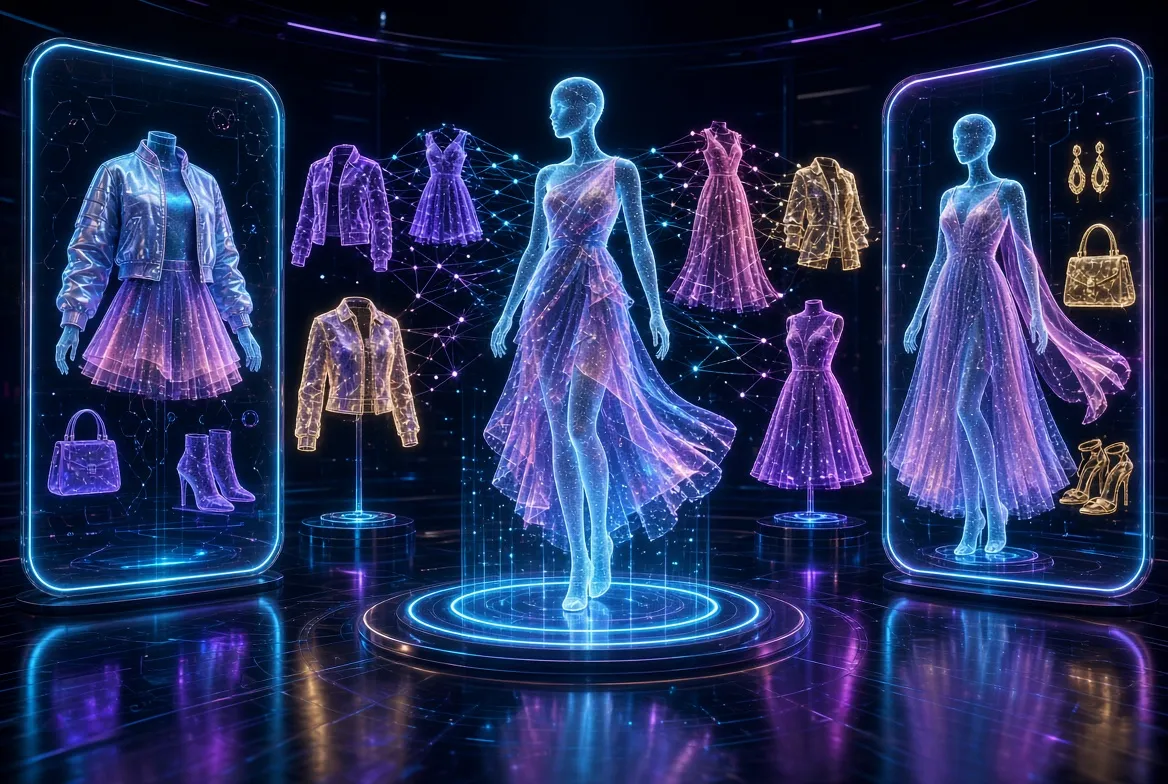
Buying clothes online has always felt like a gamble. Sizes vary wildly between brands, colors look different on your monitor than they do in real life, and the model in the product photo usually has a completely different body shape than yours. AI virtual try on clothes free tools are changing that equation for good. These apps and browser features use artificial intelligence to digitally dress you — or a realistic model shaped like you — in any garment you are considering, so you can preview the fit, the drape, and the overall vibe before you spend a cent. Best of all, every tool on this list is an AI virtual try on clothes free option that costs nothing to get started with, which means you can experiment as much as you like without touching your wallet.
The technology behind these tools has matured dramatically. A few years ago, virtual try-on meant crude overlays where a flat image of a shirt was pasted over your photo like a sticker, with edges that never quite lined up. In 2026, generative AI models understand fabric physics, shadows, wrinkles, and how different materials stretch across different body types. The result is a preview that is genuinely useful: you can spot an unflattering neckline, a pattern that overwhelms your frame, or a jacket that sits too boxy on your shoulders long before the delivery box arrives at your door.
This is exactly why AI virtual try on clothes free tools matter beyond convenience: returns are one of the biggest hidden costs of online shopping. Every returned parcel costs money, wastes packaging, and generates extra shipping emissions. When shoppers can see a realistic preview of how clothing looks on them, they order the right size the first time far more often. Retailers have noticed too, which is why so many major platforms now offer try-on features at no charge — it saves them money on reverse logistics while giving you a better experience.
In this guide, we walk through the seven best AI virtual try on clothes free tools available in 2026. For each one, you will learn what it does, how its free access works, who it is best suited for, and where it falls short. You will also find a side-by-side comparison table, practical tips for getting the most realistic results, a step-by-step workflow you can follow today, the most common mistakes to avoid, and answers to the questions shoppers ask most often. Whether you want to preview an outfit on your own photo, explore how a style looks on different body types, or simply have fun experimenting with fashion, there is a free option here for you.
What Is AI Virtual Try On Clothes Free Technology?
At its core, virtual try-on is a computer vision problem: take a photo of a person and a photo of a garment, then produce a new image showing that person wearing that garment. Early versions of this technology relied on simple image warping, stretching the clothing photo to roughly match the shape of the body in the picture. The results looked artificial because fabric does not actually behave that way — it folds, shadows pool in creases, and prints distort around curves in complex ways.
Modern AI virtual try on clothes free tools solve this with generative AI, the same family of technology behind AI image generators. These models are trained on millions of pairs of images showing garments on hangers or flat lays alongside photos of people wearing those exact garments. From this training, the AI learns how a particular neckline sits on a collarbone, how denim creases at the knee, and how a floral print wraps around a torso. When you upload your photo and pick an outfit, the model does not paste anything — it generates a brand-new, photorealistic image of you wearing the item, complete with plausible lighting and fabric behavior.
There are two main flavors of the technology you will encounter on this list. The first is AI generation, where a still image is synthesized from your photo. This approach produces the most realistic results for detailed inspection because the model has time to render every fold and shadow. The second is augmented reality, or AR, where your phone camera overlays the garment on your live video feed. AR is less photorealistic but feels more interactive and fun, and it works well for quick checks of style and proportion.
Free access to these tools generally comes in a few forms. Some, like the try-on feature built into Google Shopping, are completely free with no account required because they are funded by the shopping ecosystem itself. Others offer a genuinely useful free tier — for example, a mobile app that lets you generate a set number of try-on images per day, or a web tool that is free for personal use while charging businesses. Throughout this guide, we describe free access qualitatively and honestly; if a tool requires an account or shows ads, we say so, and we never promise unlimited anything where limits exist.
The 7 Best Free AI Virtual Try-On Tools in 2026
We selected these seven tools because they are real, widely available AI virtual try on clothes free options, genuinely free to start with, and representative of the different approaches to virtual try-on. Some are built for shoppers browsing stores, others for creators and the simply curious who want to experiment with style. All of them can be tried today at no cost.
1. Google Shopping Virtual Try-On
Google’s virtual try-on feature, built directly into Google Search and Google Shopping, is the easiest AI virtual try on clothes free option for most people because there is nothing to install and no account to create. When you search for a clothing item — say, a women’s blazer or a men’s bomber jacket — eligible product listings show a “Try On” option. Tapping it lets you see the garment rendered on a diverse set of real models ranging from XXS to 4XL, so you can pick the model whose body is closest to yours and judge how the item actually fits a real human frame.
What makes Google’s approach stand out is the underlying generative AI. Rather than stretching a flat product photo over a model image, Google’s system was trained on pairs of garment and model photos, allowing it to realistically depict how fabric drapes, folds, and shadows across different body shapes. The feature launched with women’s tops from major US retailers and has steadily expanded to more categories, including dresses and men’s apparel, with broader international availability rolling out over time. Because it lives inside the search results you already use, it adds zero friction to the shopping journey.
The trade-offs are worth understanding. You cannot currently upload your own photo to Google’s try-on; you choose from Google’s model lineup instead. Selection is also limited to participating retailers and product categories, so the exact item you want may not always be available. Still, for a fast, genuinely free reality check on how a style looks on a body like yours, nothing beats it for convenience.
- Best for: quick fit previews while comparison shopping on Google
- Platform: web and mobile browser, no app needed
- Free access: completely free, no account required
- Limitation: no personal photo upload; limited to participating retailers
2. Zeekit by Walmart
Zeekit is the virtual fitting room technology that Walmart acquired to power try-on experiences across its fashion properties. The core idea is simple and powerful: upload a photo of yourself once, and the system builds a virtual model of your body that you can dress in thousands of garments. You can mix and match tops, bottoms, and dresses, save your favorite combinations, and share them with friends for a second opinion before buying.
The experience feels closer to a digital dressing room than a single-image generator. Because your virtual model persists across sessions, each new item you try on appears on the same familiar body, which makes comparisons between different outfits far more meaningful than generating disconnected images one at a time. The technology maps garments onto your proportions while preserving realistic shading and fabric behavior, and the catalog integration means the items you try on are ones you can actually purchase.
Zeekit’s availability is tied to Walmart’s ecosystem, so it is most useful if you shop at Walmart or its affiliated fashion brands. The catalog is strongest in everyday apparel rather than high fashion or niche boutiques. Even so, it remains one of the most polished AI virtual try on clothes free experiences available, and it demonstrates how good the technology becomes when it is trained on a retailer’s actual inventory rather than generic stock imagery.
- Best for: Walmart shoppers who want a persistent virtual fitting room
- Platform: web and mobile
- Free access: free for shoppers within participating stores
- Limitation: catalog limited to affiliated retailers
3. VueModel
VueModel, from the AI fashion company Vue.ai, takes a slightly different angle on virtual try-on: it generates photorealistic on-model imagery that shows how clothing looks on diverse, AI-created models. While the platform was originally built for brands and retailers who need affordable product photography, its try-on style tools are accessible to everyday users who want to visualize garments on different body types, skin tones, and poses without organizing a photoshoot.
The quality of VueModel’s output is its calling card. The generated models look like real fashion photography, with natural poses, believable skin texture, and garments that sit convincingly on the body. For shoppers, this is useful when you want to see how a particular style reads on someone with your proportions but the retailer’s own photos only show one sample size. For small sellers and creators, the same technology offers a free way to preview how inventory might photograph before investing in a shoot.
As a platform oriented partly toward businesses, some of VueModel’s advanced features sit behind professional plans, but the core AI virtual try on clothes free capabilities can be explored without paying. The interface assumes a bit more fashion vocabulary than a pure consumer app, so complete beginners may need a few minutes to get oriented. Once you are comfortable, though, it is one of the most visually impressive options on this list.
- Best for: seeing garments on diverse, realistic AI models
- Platform: web-based
- Free access: free tier available for trying core features
- Limitation: advanced tools aimed at businesses; slight learning curve
4. Fotor AI Clothes Changer
Fotor is a well-known online photo editor, and its AI Clothes Changer brings virtual try-on to anyone comfortable uploading a selfie. The workflow is straightforward: you provide a clear photo of yourself, describe or select the outfit you want to try, and the AI generates a new image of you wearing it. Because Fotor is fundamentally an editing suite, you can then refine the result — adjusting lighting, cropping, or touching up details — without switching to another app.
This tool shines for creative experimentation. Want to know how you would look in a sharp tailored suit for a job interview, a flowing evening gown for a wedding, or streetwear you would never dare try in a physical store? Fotor’s generative approach handles these imaginative scenarios well because it is not constrained to a retailer’s catalog. It is equally popular with content creators who need quick outfit swaps for thumbnails and social posts, since the output resolution is solid enough for online publishing.
Being a freemium product, Fotor gives you free access to try the clothes changer and core editing tools, with optional upgrades unlocking higher volumes and premium effects. Generation quality depends heavily on your input photo: a well-lit, front-facing portrait produces dramatically better results than a dim, angled snapshot. Treat it as a generous AI virtual try on clothes free trial of a capable creative tool, and you will get a lot of value out of it.
- Best for: creative outfit experiments and content creation
- Platform: web and mobile app
- Free access: free tier covers try-on and core editing
- Limitation: not linked to real purchasable products; quality depends on input photo
5. YouCam Perfect
YouCam Perfect, from Perfect Corp, is one of the most downloaded AI photo editing apps in the world, and its AI outfit try-on features have made it a favorite for virtual fashion experiments. Inside the app you will find AI fashion and outfit tools that let you swap your clothing in seconds — everything from casual everyday looks to fantasy costumes and professional attire. The app’s massive user base means its AI has been refined on an enormous variety of faces, poses, and lighting conditions.
The mobile-first experience is the main attraction here. Everything happens on your phone: snap a selfie, pick a style, and watch the AI redress you in moments. YouCam’s try-on is particularly good at preserving your face and identity while changing everything below the neck, which matters when you are judging whether a style suits you personally rather than admiring it on a stranger. The app also includes broader beautification and background tools, so your try-on photos can go straight to social media looking polished.
As with most top-tier mobile editors, YouCam Perfect operates on a freemium model: the AI virtual try on clothes free features are genuinely usable without paying, supported by ads and optional premium upgrades that remove watermarks and unlock the full style library. If you are comfortable with a mobile workflow and want the fastest path from selfie to styled photo, this is the app to beat.
- Best for: fast mobile outfit swaps on your own selfies
- Platform: iOS and Android
- Free access: free to use with ads; premium removes limits
- Limitation: best styles may sit in the premium library; mobile only
6. Wanna Fashion
Wanna Fashion, from the AR company Wanna, approaches virtual try-on through augmented reality rather than still-image generation. Point your phone camera at yourself and the app overlays clothing onto your live video feed in real time. You can turn, move, and see how a garment shifts with your body — an experience that feels closer to standing in front of a magic mirror than to editing a photograph.
The real-time nature of AR try-on makes it uniquely good at answering questions that still images struggle with. How does that jacket look when your arms are at your sides versus crossed? Does the dress flare when you spin? Because you see the garment track your movements, you develop an intuitive sense of proportion and movement that a single rendered frame cannot provide. Wanna has also built sneaker and accessory try-on into its technology, so a full outfit check — shoes included — is possible in one session.
AR is inherently less photorealistic than generative AI: edges can shimmer, and fine fabric detail gets simplified to keep the frame rate smooth. Think of Wanna Fashion as a brilliant tool for style and proportion decisions rather than a pixel-perfect preview of texture. It is completely free to use, and for shoppers who enjoy an interactive, playful experience, it is one of the most fun entries on this list.
- Best for: interactive real-time try-on with movement
- Platform: iOS and Android
- Free access: free to use
- Limitation: AR rendering is less photorealistic than AI-generated stills
7. Snapchat Dress Up
Snapchat may be famous for face filters, but its Dress Up tab has quietly become one of the most accessible AR shopping experiences on the planet. Major fashion brands publish try-on lenses that let you wear their latest collections through your phone camera — jackets, dresses, sunglasses, and sneakers rendered in real time as you move. Because it lives inside an app hundreds of millions of people already have installed, the barrier to entry is effectively zero.
What sets Snapchat’s approach apart is the brand participation. These are not generic garments; they are real products from real labels, often tied to current collections and shoppable directly from the lens. The AR technology benefits from years of refinement on face and body tracking, so garments anchor convincingly to your shoulders, waist, and limbs. For discovering new styles from brands you follow — and instantly seeing them on yourself — the Dress Up tab is unmatched.
The obvious constraint is that you are limited to whatever lenses brands have published; you cannot upload an arbitrary product photo and try it on. The experience is also inherently social and casual rather than a careful fitting-room analysis. Even so, as a free, zero-install way to play with real fashion in AR, Snapchat Dress Up rounds out our AI virtual try on clothes free lineup, especially for trend-driven shoppers.
- Best for: trying real brand collections in AR with zero setup
- Platform: iOS and Android, inside the Snapchat app
- Free access: completely free
- Limitation: limited to published brand lenses; no custom uploads
Side-by-Side Comparison of Free AI Virtual Try-On Tools
With seven solid options, choosing the right one comes down to what you want to accomplish. Use this comparison to match a tool to your goal — whether that is checking fit before a purchase, experimenting with bold new styles, or just having fun with fashion.
| Tool | Best For | Platform | Technology | Free Access |
|---|---|---|---|---|
| Google Shopping Try-On | Quick fit checks while shopping | Web / mobile browser | Generative AI on diverse models | Fully free, no account |
| Zeekit by Walmart | Persistent personal fitting room | Web / mobile | Generative AI on your photo | Free for shoppers |
| VueModel | Garments on diverse AI models | Web | Generative AI model imagery | Free tier available |
| Fotor AI Clothes Changer | Creative outfit experiments | Web / mobile app | Generative AI on your photo | Free tier available |
| YouCam Perfect | Fast selfie outfit swaps | iOS / Android | Generative AI on your photo | Free with ads |
| Wanna Fashion | Real-time interactive try-on | iOS / Android | Augmented reality | Free to use |
| Snapchat Dress Up | Brand collections in AR | iOS / Android | Augmented reality | Fully free |
A practical way to think about the table: if your priority is purchase confidence, start with Google Shopping try-on or Zeekit, because both connect directly to real products you can buy. If your priority is creativity — visualizing yourself in styles far outside your comfort zone — Fotor and YouCam Perfect give you the most freedom. And if you want the experience to feel alive and interactive, the AR options from Wanna and Snapchat are the most fun. Many shoppers end up using two or three of these tools together: one for fit, one for style play, and one for sharing looks with friends. Whichever combination you choose, each of these AI virtual try on clothes free tools covers a different part of the buying decision.
Pro Tips for Realistic Virtual Try-On Results
The AI does the heavy lifting, but the quality of your results is largely determined by what you feed it. These professional tips will take your AI virtual try on clothes free results from obviously fake to surprisingly convincing.
- Start with a clean, front-facing photo. Stand against a plain background in even lighting, arms slightly away from your body, camera at chest height. The AI needs to see your true silhouette to drape garments correctly, and a cluttered background forces it to guess where you end and the room begins.
- Wear fitted clothing in your base photo. Baggy clothes hide your shape, so the AI invents proportions that may not match reality. A fitted t-shirt and leggings or jeans give the model the clearest possible read of your frame.
- Use high-resolution images on both sides. A crisp photo of you plus a high-quality garment image produces dramatically better fabric rendering than a blurry selfie paired with a tiny thumbnail. When a retailer offers zoomable product photos, use the largest version available.
- Match the pose to the garment. A gown renders best on a standing full-body shot; a jacket can work with a waist-up photo. If the tool lets you choose poses, pick the one closest to how you would naturally stand while wearing the item.
- Try the same item in multiple sizes or on multiple models. Fit is relative. Seeing a dress on both a smaller and a larger model — or generating two versions of your own photo — reveals far more about the cut than any single render.
- Pay attention to fabric and pattern behavior. AI is excellent with solid colors and decent with simple patterns, but complex prints, sheer fabrics, and heavy textures are where artifacts appear. Zoom into these areas and judge them skeptically.
- Check the retailer’s size chart alongside the render. A beautiful image tells you about style, not measurements. Combine the visual preview with the actual numbers — chest, waist, inseam — for a decision you can trust.
- Protect your privacy. Prefer tools that process images on-device or clearly state their data policies, and delete your uploaded photos when you are done. Never upload photos of other people without their permission.
Real-World Workflow: Trying On a Full Outfit Step by Step
Theory is useful, but a concrete workflow shows how these tools fit into an actual shopping session. Here is a practical end-to-end process for using AI virtual try on clothes free tools to assemble and evaluate a complete outfit — say, for an upcoming wedding you have been invited to.
Step 1: Define the dress code and your budget. Before opening any app, decide what you need. A semi-formal wedding outfit with a budget cap keeps you focused and prevents the endless scrolling that try-on tools can encourage. Write down two or three style directions you are open to, such as a midi dress with heels or tailored separates.
Step 2: Prepare one good base photo. Following the tips above, take a well-lit, front-facing, full-body photo in fitted clothing. Save it to your phone so you can reuse it across multiple tools without retaking it each time. This single photo becomes your personal fitting-room mannequin for the session.
Step 3: Browse and shortlist real products. Use Google Shopping to find candidate garments within your budget. For each promising item, use the built-in try-on to see it on the model closest to your size. Discard anything that looks wrong in proportion at this stage — if it does not work on a similar body, it will not work on yours.
Step 4: Generate personal previews of your top three. Take your shortlist into an AI virtual try on clothes free app like Fotor or YouCam Perfect and render each outfit on your own base photo. This is where the decision gets personal: you will immediately notice which neckline flatters your face, which color makes your skin glow, and which silhouette feels like you.
Step 5: Check movement and proportion in AR. For your favorite, open an AR option like Wanna Fashion or a relevant Snapchat lens to see a similar style in motion. Turn side to side and check the overall proportion. This step catches issues still images miss, like a hem that looks fine standing still but rides up when you move.
Step 6: Validate with measurements and reviews. Go back to the product page, compare your measurements against the size chart, and read reviews specifically mentioning fit — “runs small,” “true to size,” and “great for curvy figures” are gold. The AI told you about style; the numbers and other buyers tell you about fit.
Step 7: Save, share, and sleep on it. Save your favorite renders, share them with a trusted friend for a second opinion, and wait at least a day before purchasing. Try-on tools make shopping dangerously fun, and a cooling-off period separates genuine love from novelty excitement.
Common Mistakes to Avoid With AI Virtual Try-On
Even the best AI virtual try on clothes free tools produce misleading results when used carelessly. Watch out for these frequent mistakes that lead to disappointing purchases.
Mistake 1: Trusting a single render as the truth. Generative AI involves randomness — the same inputs can produce slightly different outputs each time. Generate each look at least twice and look for consistent signals rather than treating one flattering image as proof. If a neckline looks great in three out of four renders, that is meaningful; if it only looks good once, it was luck.
Mistake 2: Using a poor-quality base photo. Dim lighting, awkward angles, and heavy filters all distort what the AI believes your body looks like. A photo taken from above makes you look shorter; a bathroom mirror selfie with flash washes out your proportions. Five minutes spent taking a proper base photo pays off across every tool you use.
Mistake 3: Confusing style preview with size advice. AI try-on shows you how a garment looks, not whether the medium will fit your 38-inch chest. The render cannot measure you. Always cross-reference the size chart and, when available, customer reviews about sizing before choosing a size.
Mistake 4: Ignoring fabric limitations. Current AI handles structured fabrics like denim and cotton well but can struggle with sheer chiffon, sequins, leather sheen, and intricate lace. If the item you want is made of a tricky material, treat the preview as a rough sketch of the style rather than a faithful reproduction.
Mistake 5: Forgetting about the rest of the outfit. A top rendered on your photo while you are wearing pajama bottoms can look oddly proportioned because the AI harmonizes the whole image. For the most useful preview, keep the rest of your base outfit neutral and simple.
Mistake 6: Sharing try-on photos carelessly. Your base photos and renders contain biometric information about your face and body. Share them only with people you trust, through private channels — not in public reviews or open social posts — and use each app’s delete options to remove uploads you no longer need.
Frequently Asked Questions
Is AI virtual try-on really free?
Yes — every AI virtual try on clothes free tool in this guide offers genuinely free access, though the models differ. Google Shopping try-on, Wanna Fashion, and Snapchat Dress Up are completely free with no payment involved. Fotor, YouCam Perfect, and VueModel use freemium models where the core try-on features are free and optional upgrades unlock extras. Zeekit is free for shoppers within its retail partners. You can get real value from all seven without spending anything.
How accurate is AI virtual try-on in 2026?
The accuracy of AI virtual try on clothes free tools has improved enormously and is now good enough to meaningfully inform purchase decisions — particularly for questions of style, proportion, and overall look. The AI reliably shows necklines, silhouettes, color harmony with your skin tone, and approximate fit. It is less reliable for exact measurements, fine fabric textures, and how a garment feels or moves. Treat it as a highly advanced preview, not a tailor’s fitting.
Do I have to upload a photo of myself?
Not always. Google Shopping try-on and VueModel let you preview garments on model lineups without uploading anything, which is the most privacy-friendly option. Tools like Zeekit, Fotor, and YouCam Perfect need your photo to show the garment on your actual body. If privacy is a concern, start with the no-upload AI virtual try on clothes free options, and when you do upload, choose services with clear data-deletion policies.
Can virtual try-on help me pick the right size?
Indirectly, yes. By showing how a garment’s cut interacts with your proportions, try-on helps you spot items that run boxy, cropped, or oversized on a body like yours. But the AI does not know your measurements, so it cannot tell you whether to order a medium or a large. Combine the visual preview with the retailer’s size chart and fit reviews for the best results.
Does it work for all body types?
This is one of the areas where the technology has made the most progress. Google’s try-on spans XXS to 4XL models, and generative tools adapt to whatever body appears in your uploaded photo. Results tend to be most reliable for bodies well represented in training data, and improving steadily for everyone else. Trying the same garment across multiple model sizes is a good way to sanity-check what you see.
What is the difference between AR try-on and AI try-on?
AR try-on, like Wanna Fashion and Snapchat Dress Up, overlays clothing onto your live camera feed in real time — interactive and fun, but less photorealistic. AI try-on, like Fotor, YouCam Perfect, and Google’s feature, generates a still image of you wearing the garment — more detailed and realistic, but static. Neither is strictly better; they answer different questions, and many shoppers use both.
Can small businesses and sellers use these tools too?
Absolutely. VueModel was built with sellers in mind, offering affordable AI-generated model photography as an alternative to expensive photoshoots. Fotor’s editing suite helps creators produce styled product imagery, and even Google’s try-on benefits small retailers whose products appear in Shopping results. Free tiers make it practical to experiment before committing to any paid plan, and the AI virtual try on clothes free options above are a strong place to start.
Conclusion: Try AI Virtual Try On Clothes Free Before You Buy
Online clothes shopping no longer has to be a guessing game. The seven tools in this guide prove that AI virtual try on clothes free options have grown from novelty filters into genuinely useful shopping companions — realistic enough to reveal an unflattering cut, honest enough about their limits, and free enough to use every single day. Start with Google Shopping try-on for zero-effort fit checks, build a persistent fitting room with Zeekit, get creative with Fotor and YouCam Perfect, and play with real-time AR through Wanna Fashion and Snapchat Dress Up.
The smartest approach is to combine them: use one tool for style exploration, another for fit validation, and always confirm with size charts and customer reviews before you buy. Follow the pro tips in this AI virtual try on clothes free guide — good lighting, a clean base photo, multiple renders — and you will cut down on returns, save money, and frankly have more fun getting dressed. The fitting room of the future is already in your pocket, and it does not cost a thing to walk in.

Modern virtual try on apps have made online shopping far less risky. The best AI virtual try tools render garments realistically on your photo in seconds. When comparing virtual try apps, test them with your own selfie — the top virtual try tools preserve your proportions and fabric detail.
Free tiers from leading virtual try apps are perfect for shoppers and content creators. Preview a few outfits, share with friends, and buy with confidence. As you shop more, paid plans from premium virtual try apps unlock more brands and higher resolution. Always use a clear photo — even the best virtual try AI struggles with blurry inputs.
Pair your virtual try app with good lighting. Shoppers who upload well-lit, front-facing photos get better results from virtual try tools than those using casual snaps.
Related guides: