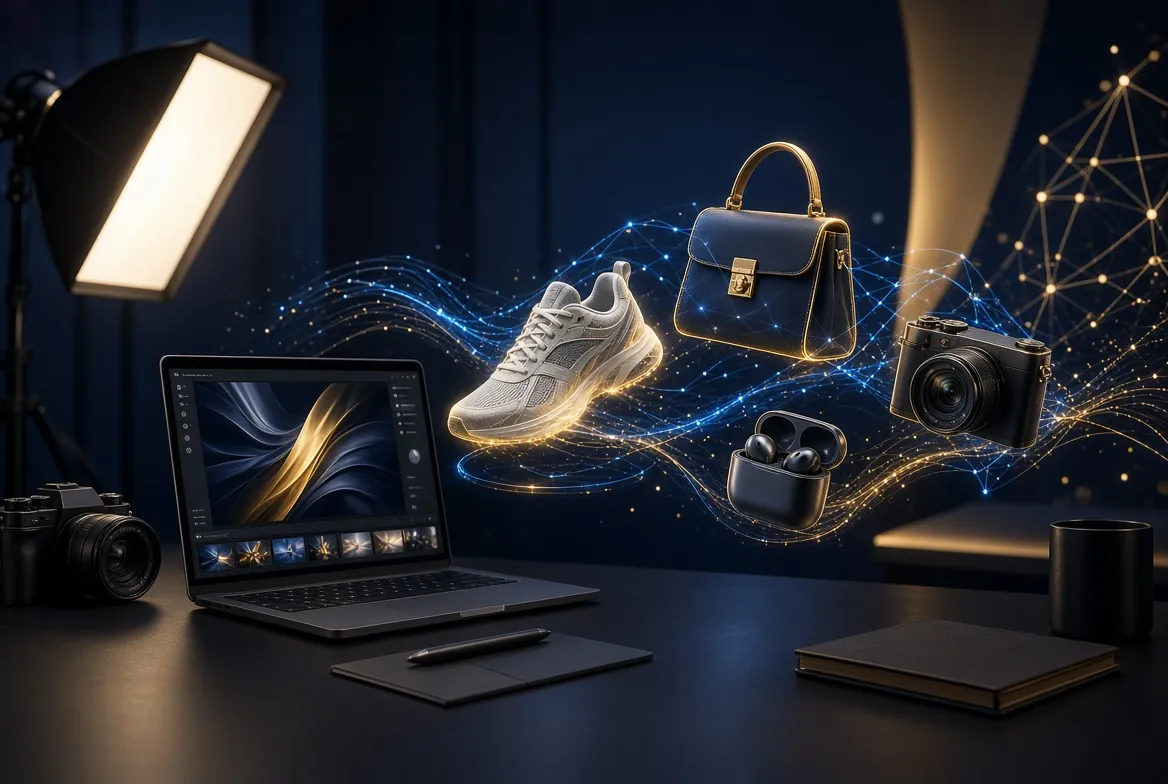
Product photography used to be one of the most expensive parts of running an online business. Between studio rentals, lighting equipment, professional photographers, and endless reshoots, a single polished product catalog could cost thousands of dollars. That reality has completely changed. The best AI product photo generators free plans available in 2026 let sellers create convincing studio-quality product images from a single smartphone snapshot — often in under a minute, and without spending a cent on the free tier.
This shift matters most for the people who need product images constantly: Shopify store owners refreshing collections, Amazon and Etsy sellers testing new listings, dropshippers who never touch the inventory they sell, and social media marketers producing daily content. In the past, these sellers had to choose between amateur-looking photos that hurt conversions or expensive shoots they could not afford to repeat. AI product photo generators remove that trade-off by placing the product into realistic scenes, removing backgrounds, adding shadows and reflections, and even generating entire lifestyle shots from a plain image of the item.
Not every generator is equally good, though. Some free plans watermark your exports, others limit you to a handful of generations per month, and a few produce results that look so artificial they would hurt a listing more than a plain photo would. This guide cuts through the noise with eight real, well-known tools that actually offer a usable free tier in 2026. Each section explains what the tool does best, what its free plan realistically allows, and which type of seller it suits. You will also find a comparison table, pro tips for getting the most from free plans, a real-world workflow walkthrough, common mistakes to avoid, and answers to the questions sellers ask most often. By the end, you will know exactly which free generator fits your business and how to use it without hitting frustrating limits.
AI product photo generators free for e-commerce stores
General-purpose e-commerce sellers need versatility. A Shopify or WooCommerce store might sell skincare one week and phone accessories the next, so the ideal free AI product photo generator handles many product categories, produces consistent-looking catalog images, and exports at resolutions that look sharp on product pages. The three tools below are the strongest free options for this use case, and they are also among the most popular AI product photo generators free users search for.
1. Photoroom
Photoroom has become one of the most recognizable names in AI product photography, and for good reason. Upload a product photo and Photoroom instantly removes the background, then lets you generate professional backgrounds, studio scenes, and lifestyle settings with a text prompt. Its template library is enormous — hundreds of ready-made scenes for fashion, cosmetics, electronics, food, and home goods — which means you rarely have to write prompts from scratch. The mobile app is genuinely excellent, so you can photograph a product with your phone and have a finished listing image before you have even left the warehouse.
The free plan includes background removal and a selection of AI background generations, which is enough for most small sellers to test the workflow. Exports on the free tier come at lower resolution than paid plans, so it is worth deciding whether the images will be used as hero shots or thumbnails before committing to a large batch. Photoroom is also available at photoroom.com, where you can try the web version without installing anything.
2. Canva
Most sellers already know Canva as a design tool, but its AI product photography features have become surprisingly capable. Canva’s background remover is one-click simple, and its Magic Edit and Magic Studio features let you place products into generated scenes, extend backgrounds, and clean up imperfections. The real advantage of Canva is that the product photo never leaves your design workflow: you can generate the image, add your price badge, brand fonts, and promotional text, and export a finished social post or store banner in the same session.
Canva’s free plan includes a generous amount of AI credits for these features, making it one of the most practical AI product photo generators free sellers can rely on day to day. The trade-off is that Canva’s scene generation is less specialized than dedicated product-photo tools — the results are good, but you get fewer photography-specific controls like precise shadow and reflection tuning. For sellers who already design their marketing in Canva, though, the convenience is hard to beat.
3. Microsoft Designer
Microsoft Designer is the dark horse of this list. Built on the same image-generation technology that powers Image Creator, it lets you generate backgrounds and scenes for product photos through natural-language prompts, and it is completely free to use with a Microsoft account. The generative fill and background features handle product cutouts well, and the design templates make it easy to turn a product shot into an ad creative.
Because Microsoft Designer has no paid tier gating the core image features, it is one of the few truly unlimited-feeling AI product photo generators free users can access — you are not counting credits on every generation. The downside is that it is a general design tool rather than a purpose-built product photography studio, so you will not find e-commerce-specific templates or batch processing. It shines brightest for solo sellers who need a handful of polished images per week and want zero cost and zero friction.
Amazon and Marketplace Seller Picks
Marketplace sellers face stricter constraints than independent store owners. Amazon’s image requirements — pure white backgrounds for main images, minimum resolutions, no text or badges on the hero shot — mean your generator must produce clean, compliant images every time. These tools are the best fit for that disciplined workflow.
4. Claid.ai
Claid.ai is built specifically for e-commerce imagery at scale, and it shows. Its background removal is among the most accurate in the industry, cleanly handling tricky edges like fur, jewelry chains, and transparent packaging. The AI Photoshoot feature generates studio-quality scenes from a single product image, and its batch processing lets marketplace sellers process entire catalogs consistently — the same lighting, same shadows, same background across hundreds of SKUs.
The free plan gives you a real taste of the platform, including background removal and a number of AI photoshoot generations, which is enough to evaluate whether the output quality meets Amazon’s standards for your category. Claid.ai is particularly strong for catalog consistency, because its scene templates keep the visual language uniform across products. Among AI product photo generators free sellers rely on, it stands out for multi-marketplace brands. If you sell on multiple marketplaces, that consistency becomes a genuine brand asset.
5. Pebblely
Pebblely takes a focused approach: instead of trying to do everything, it concentrates on generating beautiful backgrounds for product photos. Upload your product, describe the scene or pick from curated themes, and Pebblely renders multiple high-quality options with realistic lighting, shadows, and reflections that actually match the product’s perspective. The results frequently look like they came from a professional shoot, which is why it has a loyal following among Etsy and boutique sellers.
The free tier includes a limited number of generations per month, so it rewards careful use — generate your hero images here and handle simpler shots elsewhere. Pebblely is available at pebblely.com. For sellers who only need a few stunning images per product launch, the free allocation stretches surprisingly far, especially if you plan your scenes before generating rather than burning credits on experiments.
6. Booth.ai
Booth.ai targets the fashion and apparel niche more directly than most competitors, which makes it a strong pick for Amazon and marketplace sellers in clothing, footwear, and accessories. Its AI can generate on-model style shots and flat-lay scenes from a single garment photo, and the output quality on fabric texture and drape is notably better than generic AI product photo generators free tools. For categories where the product photo determines the click-through rate, that specialization matters.
The free plan lets you test the core photoshoot features with a limited number of generations. Booth.ai’s strength is lifestyle realism — the generated scenes avoid the plastic, over-rendered look that plagues weaker tools. If your catalog is fashion-heavy, it is worth spending your free generations here rather than on a generalist tool, because the category-specific training produces visibly better results for clothing and soft goods.
Social Media and Content Creator Favorites
Social sellers and content creators have different priorities: speed, scroll-stopping visuals, and formats optimized for Instagram, TikTok, and Pinterest. These two tools are built for that fast-moving creative workflow.
7. Flair.ai
Flair.ai is designed for creating branded product content rather than just isolated product shots. You can build custom scenes with drag-and-drop props, set your brand’s visual style once, and then generate endless on-brand variations. This is a huge advantage for creators who post daily — instead of designing each image from scratch, you maintain a consistent aesthetic across your entire feed while the AI handles the heavy lifting of lighting and composition.
The free plan includes enough generations to establish your brand templates and produce regular content, making Flair.ai one of the most creator-friendly AI product photo generators free options available. The learning curve is slightly steeper than one-click tools because of the scene-building interface, but that upfront investment pays off in consistency. If your product marketing lives on social media, Flair.ai deserves a serious look.
8. Adobe Express (Firefly)
Adobe Express brings Adobe’s Firefly generative AI into a free, beginner-friendly design platform. The generative fill, text-to-image, and background features are genuinely powerful, and because Firefly was trained on licensed content, the results tend to avoid the strange artifacts and brand-infringement risks that some open models produce. For sellers comparing AI product photo generators free options who worry about commercial safety, that training data pedigree is a meaningful advantage.
The free plan includes monthly generative credits, which is enough for steady small-batch content creation. Adobe Express also handles the full creative pipeline — generate the product scene, add text overlays and animations, and resize for every social platform in one place. It is available at adobe.com/express. For creators already in the Adobe ecosystem, or anyone who wants commercially safer AI imagery, it is the most sensible free choice.
Comparison Table: The 8 Tools at a Glance
Use this table to quickly compare the eight generators covered above. Free-plan details change frequently, so treat the notes below as qualitative guidance — always check the tool’s current pricing page before planning a large batch around a free tier.
| Tool | Best For | Standout Strength | Free Plan Notes |
|---|---|---|---|
| Photoroom | General e-commerce, mobile workflows | Huge scene template library, excellent app | Free background removal plus AI background generations; lower export resolution than paid |
| Canva | Sellers who design marketing in-house | Full design workflow in one place | Generous free AI credits; fewer photography-specific controls |
| Microsoft Designer | Solo sellers, zero-budget users | No paid gate on core image features | Free with Microsoft account; general design tool, no batch processing |
| Claid.ai | Marketplaces, large catalogs | Accurate cutouts, batch consistency | Free trial of background removal and AI photoshoots |
| Pebblely | Etsy, boutiques, hero images | Realistic lighting and reflections | Limited monthly generations; best used for hero shots |
| Booth.ai | Fashion and apparel sellers | Category-specific realism for clothing | Free generations to test core photoshoot features |
| Flair.ai | Social media creators | Branded, consistent scene building | Enough free generations for templates and regular content |
| Adobe Express | Commercially safe creative work | Firefly model trained on licensed content | Monthly generative credits on the free plan |
Pro Tips for Getting the Most Out of Free Plans
Free tiers are genuinely useful, but only if you use them strategically. The difference between a seller who burns through a month’s credits in an afternoon and one who produces a full catalog for free comes down to preparation. These tips come from how experienced sellers actually work with AI product photo generators free plans in practice.
First, perfect your source photo before you generate anything. AI tools amplify whatever you feed them: a blurry, poorly lit product shot produces a blurry, poorly lit scene, while a sharp photo taken in soft natural light gives the AI clean edges and accurate colors to work with. You do not need a studio — a white poster board near a window and a steady hand is enough. Spend ten minutes getting the source right and you will waste far fewer generations on retries.
Second, plan your scenes on paper before touching the generator. Decide the background style, the mood, and the composition for each product in advance, ideally as a simple list. Sellers who generate impulsively — trying random prompts to see what looks cool — exhaust free credits fast. Most AI product photo generators free tiers are designed for deliberate use, so sellers who arrive with a shot list use one or two generations per image and move on.
Third, combine tools instead of marrying one. Use Pebblely or Photoroom for your hero images where quality matters most, Canva or Microsoft Designer for unlimited-feeling supporting shots and banners, and Adobe Express when you need commercially safe creative. No single free plan does everything, but a stack of two or three AI product photo generators free plans covers nearly every need without paying.
Fourth, reuse winning scenes across products. Once you find a background style that converts — say, a warm kitchen scene for your food products — apply the same style to every product in the line. This saves generations, builds a recognizable brand look, and makes your store feel professionally art-directed even though every image was generated for free.
Fifth, keep a “generations log” for the month. Note which tool you used, how many credits each image cost, and which images performed best. After a month you will know exactly where your free allowance goes and which tool earns its place in your stack — and you will have hard data if you ever decide a paid plan is worth it.
Real-World Workflow: From Phone Photo to Listing in 20 Minutes
Theory is useful, but here is what the process actually looks like for a typical small seller. Imagine you sell handmade ceramic mugs on Etsy and just finished a new glaze color. You need a hero image today, and you have no budget for a photographer.
Minutes zero to five: shoot the source photo. Place the mug on a plain white poster board next to a large window, in the morning when the light is soft. Take several shots from slightly different angles with your phone, and pick the sharpest one. Wipe the mug first — dust and fingerprints become glaringly obvious once the AI enhances the image.
Minutes five to ten: remove the background and pick your scene. Upload the photo to Photoroom, let it cut out the mug, and browse the scene templates for something that fits — a cozy kitchen counter, a rustic wooden table, a minimalist studio backdrop. Choose one template rather than generating five variations; you can always iterate later. If you want something more distinctive, paste the cutout into Pebblely and describe your ideal scene in one careful sentence.
Minutes ten to fifteen: refine and check realism. Look closely at the generated image. Does the shadow fall in a believable direction? Does the reflection under the mug match its shape? Are the colors of the glaze accurate, or did the AI shift them? If something looks off, adjust the prompt with one specific change — “softer shadow to the left” — rather than starting over. One targeted retry beats five random ones.
Minutes fifteen to twenty: finalize for the listing. Export at the highest resolution the free plan allows. If the image is destined for Etsy or your own store, you are done. If it is an Amazon main image, double-check the pure-white-background requirement — generate a separate clean white-background version, since lifestyle scenes belong in the secondary image slots on Amazon, never as the hero.
The whole workflow costs nothing on the free tiers and produces an image that would have cost a few hundred dollars from a photographer five years ago. It is a perfect example of what AI product photo generators free plans make possible for small businesses: professional output on a zero budget. The key discipline is the one-generation mindset: plan, generate once, refine once, ship.
Common Mistakes to Avoid
The most frequent mistake sellers make with AI product photo generators is trusting the first output blindly. AI tools occasionally distort product details — a logo gets misspelled, a zipper disappears, a color shifts from navy to black. Always compare the generated image against your actual product before publishing. A customer who receives something that looks different from the photo will return it, and returns cost far more than an extra minute of checking.
Another common error is ignoring platform image rules. Amazon requires pure white backgrounds on main images and forbids text overlays; Etsy favors lifestyle imagery but still penalizes misleading photos. Even the best AI product photo generators free tools cannot save a listing if the images violate marketplace policy. Learn the image requirements of each platform you sell on, and generate platform-specific versions rather than forcing one image everywhere.
Sellers also over-generate and under-plan, burning a month of free credits testing prompts instead of producing images. Treat free generations like a budget: allocate them per product in advance, and stop experimenting once you have a style that works. Related to this is the trap of chasing novelty — constantly switching tools because a new one launched. Pick your stack, learn it well, and only re-evaluate quarterly.
Finally, do not forget about image rights and disclosure. Most free plans grant commercial use of generated images, but terms differ — some require attribution or restrict use in paid advertising on the free tier. Read the license terms of whichever tool you rely on, and keep screenshots of the terms as they stood when you generated your images. A few minutes of diligence here prevents painful disputes later.
Frequently Asked Questions
Are free AI product photo generators really free for commercial use?
In most cases, yes — the AI product photo generators free tools listed in this guide allow commercial use of images generated on their free plans. However, the exact terms vary: some restrict free-tier images from being used in paid advertising, and a few require attribution. Always read the current terms of service for the specific tool before using generated images in your store or ads, since policies change and this article cannot track every update.
Can AI-generated product photos get my Amazon listing suppressed?
AI-generated images themselves do not violate Amazon’s policies — what matters is compliance with the image requirements. The main image must have a pure white background with the product filling most of the frame and no text, badges, or additional objects. AI lifestyle scenes are perfectly acceptable as secondary images. Generate a compliant white-background hero shot and use AI scenes for the remaining slots, and you will stay within the rules.
How many free images can I realistically generate per month?
It depends on the tool and how carefully you work. A disciplined seller who plans scenes in advance and combines two or three free tiers can typically produce dozens of finished images per month without paying. Users of AI product photo generators free plans who run out are usually the ones generating five or six variations per product. Plan first, generate once, and the free allowances stretch much further than most people expect.
Do I need photography skills to use these tools?
No professional skills are required, but basic source-photo hygiene makes a enormous difference. Shoot in soft natural light, keep the product clean, hold the phone steady, and use a plain background for the original shot. The AI handles lighting, shadows, and scene composition — your only job is giving it a sharp, well-exposed product to work with.
Will customers be able to tell the photos are AI-generated?
With the current generation of tools, usually not — provided you check the output carefully. The giveaways are distorted details, impossible shadows, and warped reflections, all of which you can catch by zooming in before publishing. When the product details are accurate and the lighting is believable, AI product photos are indistinguishable from studio shots to the average shopper.
Which free tool is best for beginners?
Photoroom is the easiest starting point for most beginners because of its template library and excellent mobile app — you can go from phone photo to finished image with almost no learning curve. If you already use Canva for your marketing, start there instead, since the product photo features live inside a workflow you already know. Either choice will teach you the fundamentals of AI product photo generators free tools before you explore more specialized options.
Can I use these tools for products I dropship and have never photographed?
Yes, and this is one of the most popular use cases for AI product photo generators free platforms. Supplier photos are often low quality or inconsistent, so sellers run them through background removers and scene generators to create a professional, uniform catalog. One caution: make sure the supplier image accurately represents the product you will ship, because AI enhancement cannot fix a fundamentally inaccurate source photo — and mismatches drive returns.
Do free plans add watermarks to exported images?
Some do and some do not, and policies change over time. Historically, certain free tiers have watermarked exports or limited export resolution, while others provide clean downloads. If watermark-free exports matter for your listings, verify the current behavior on the tool’s pricing page before committing to it — and test with a single image rather than discovering the watermark after generating a full batch.
Conclusion: AI product photo generators free tools level the playing field
The best AI product photo generators free plans in 2026 have turned professional product photography from a major expense into a twenty-minute task anyone can do from a phone. Photoroom and Canva cover the general e-commerce workflow, Claid.ai and Pebblely handle marketplace-grade catalogs, Booth.ai serves fashion sellers, and Flair.ai plus Adobe Express power social content — together, they give every type of seller a workable free stack. The tools will keep improving, but the fundamentals will not change: start with a clean source photo, plan your scenes before generating, respect each platform’s image rules, and check every output against the real product. Do that, and free AI product photography will not just save you money — it will make your listings look better than most of your competitors’ paid shoots.

Modern product photo generators have leveled the playing field for sellers. The best AI product photo tools turn a phone snapshot into studio-quality images. When comparing product photo generators, test them with your own products — the top product photo generators handle tricky materials like glass and fabric.
Free tiers from leading product photo generators are perfect for small stores and Etsy sellers. Generate a few hero images, test them in listings, and check conversion. As you scale, paid plans from premium product photo generators unlock batch processing and higher resolution. Always inspect details — even the best product photo AI distorts text on packaging.
Pair your product photo generator with a clean source image. Sellers who shoot on plain backgrounds get better results from product photo tools than those with cluttered originals.
Related guides: