If you’re starting a faceless YouTube channel, producing an audiobook, or building an automated workflow in 2026, robotic text-to-speech won’t cut it anymore. Audiences immediately tune out stiff, monotone audio in Best Free AI Voice Generators.
Today’s best AI voice generators don’t just read text—they breathe, emphasize, whisper, and express genuine emotion. More importantly, you don’t need a massive budget to access them.
Here are the top five free AI voice generators available right now that deliver studio-quality audio without embedding annoying audio watermarks in your files.
Table of Contents
1. Fish Audio (Best for Natural Emotion)
Fish Audio has exploded in popularity in 2026 because it nails the hardest part of AI voice: human pacing. Instead of forced intensity, it uses subtle shifts in tone and timing to convey emotion naturally, making it feel like a real person is sitting behind a microphone.
- The Free Deal: Very generous free access to their base models (like the s1 mini) without gating full sentences or adding audio watermarks.
- Top Feature: Exceptional emotional cadence that sounds incredibly natural over long-form reads—making it the top choice for audiobooks and storytelling.
- Limitation: The UI is slightly more technical than drag-and-drop consumer tools.
You can also read our 5 Best Free AI Search Engines in 2026 (Perplexity Alternatives)
2. ElevenLabs (Best Premium Quality)
ElevenLabs remains the undisputed gold standard for absolute realism and voice cloning. Their 2026 models feature unmatched dialogue support, allowing multiple speakers to share context and emotional beats in the same audio track.
- The Free Deal: 10,000 characters per month (about 10 minutes of audio). There are no audio watermarks, but you are required to attribute ElevenLabs in your video description or on your website.
- Top Feature: Instant voice cloning. You only need a 30-second clean audio sample to create a near-perfect, highly expressive digital replica of your own voice.
- Limitation: 10 minutes of audio goes fast; you’ll likely need to upgrade if you post daily long-form content.
3. QuillBot AI Voice Generator (Best Frictionless Web Tool)
You probably know QuillBot for its writing tools, but their expanded 2026 suite includes a surprisingly capable AI voice generator that is incredibly easy to use.
- The Free Deal: 100% free. No sign-up required, no hidden fees, and absolutely zero audio watermarks.
- Top Feature: Instant accessibility. Just paste your script, pick a voice profile (warm, authoritative, casual), and download your high-quality MP4/WAV immediately.
- Limitation: The voices are clean and professional but lack the granular emotional tuning (like adding specific laughs, breaths, or sighs) found in premium tools.
4. Noiz.ai (Best for Video Dubbing)
Noiz.ai has carved out a massive user base by focusing strictly on the needs of video creators, educators, and social media managers who need audio to match visuals perfectly.
- The Free Deal: Offers a solid free allowance with highly realistic outputs and no background audio watermarks.
- Top Feature: Multilingual video dubbing. You can upload an English video, and Noiz will translate and dub the audio into Spanish, French, or Japanese while maintaining the original speaker’s exact vocal style and tone.
- Limitation: Advanced workflow features like multi-speaker automated dubbing require a paid subscription.
5. Voicebox / Open-Source PC Tools (Best for Complete Control)
If you have a decent computer and refuse to pay monthly subscriptions, local AI generation is the ultimate 2026 hack. Tools like Voicebox (and various community interfaces for open-source models like Coqui TTS) run directly on your hardware rather than in the cloud.
- The Free Deal: 100% free forever. No character limits, no cloud uploads, and zero watermarks.
- Top Feature: Total privacy and unlimited generation. Because it runs entirely locally, you can generate 15-hour audiobooks for absolutely nothing.
- Limitation: Requires software installation, basic technical know-how, and a capable PC (preferably with a dedicated GPU) to render the audio quickly.
Quick Comparison
| Tool | Best For | Free Tier Limit | Requires Attribution? |
| Fish Audio | Natural emotion | Generous usage | No |
| ElevenLabs | Pro voice cloning | 10 mins / month | Yes (on free tier) |
| QuillBot | Quick web generation | Unlimited (per prompt) | No |
| Noiz.ai | Video translation | Credit-based | No |
| Voicebox | Local PC generation | Unlimited | No |
You can also read our How to Use AI for Automated Faceless YouTube Channels in 2026
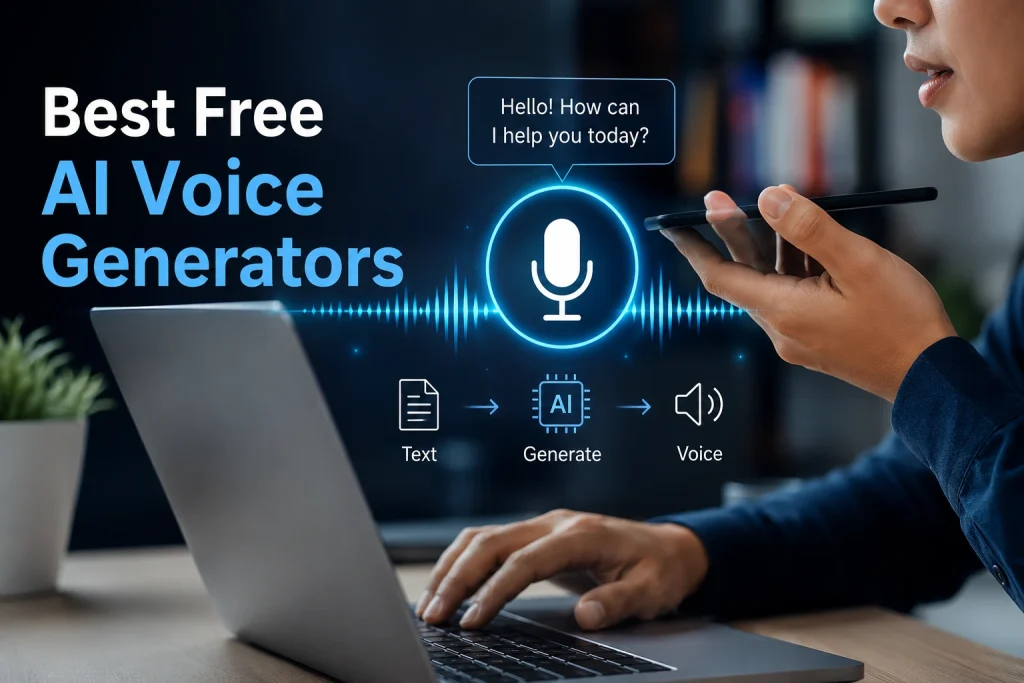
Best Free AI Voice Generators
Bring your text to life by turning written content into natural-sounding speech within seconds. These tools use advanced artificial intelligence to create human-like voices in different accents, tones, and languages—perfect for videos, podcasts, presentations, audiobooks, and social media content. Whether you’re a creator, student, or marketer, free AI voice generators make it easy to produce professional-quality audio without expensive recording equipment or voice actors.
Frequently Asked Questions (FAQ)
Q: Are these AI voices truly free for commercial use?
A: Policies vary by platform. In 2026, most tools listed here (like Fish Audio and QuillBot) allow commercial use on their free tiers. However, ElevenLabs requires attribution on their free plan. Always check the specific Terms of Service of the tool before using the audio in a monetized project.
Q: What does “attribution required” mean?
A: If a tool requires attribution (like ElevenLabs’ free tier), you must include text in your video description, audiobook credits, or website giving them credit. For example: “Voiceover generated by ElevenLabs.” Failure to do so can lead to copyright strikes.
Q: Do I need a powerful computer for local open-source tools like Voicebox?
A: Yes. To render high-quality audio quickly without using the cloud, your PC needs a decent dedicated Graphics Processing Unit (GPU) and sufficient RAM. If you have an older laptop, cloud-based tools like QuillBot or Fish Audio are better options.
Q: Can I use these tools to clone a celebrity’s voice?
A: While the technology in 2026 makes this easy, most platforms have strict ethical guidelines and automated filters preventing the cloning of famous public figures without explicit permission. Doing so can lead to account bans and legal action regarding publicity rights.
Q: Is there a limit to how much text I can convert at once?
A: Cloud-based free tiers usually have character limits per request or per month. Local, open-source tools are the only option with truly unlimited input length, constrained only by your computer’s processing power.
Conclusion
In 2026, the barrier to entry for high-quality audio production has completely collapsed. You no longer need to hire expensive voice actors or settle for robotic text-to-speech that drives audiences away.
The “best” tool depends entirely on your specific workflow:
- For maximum emotional depth in storytelling, Fish Audio is the clear winner.
- For quick, no-hassle web conversion, stick with QuillBot.
- If you require perfect voice cloning and don’t mind attribution, ElevenLabs remains top-tier.
By utilizing these free, watermark-free resources, you can produce professional-grade content that creates a real connection with your audience without spending a dime.