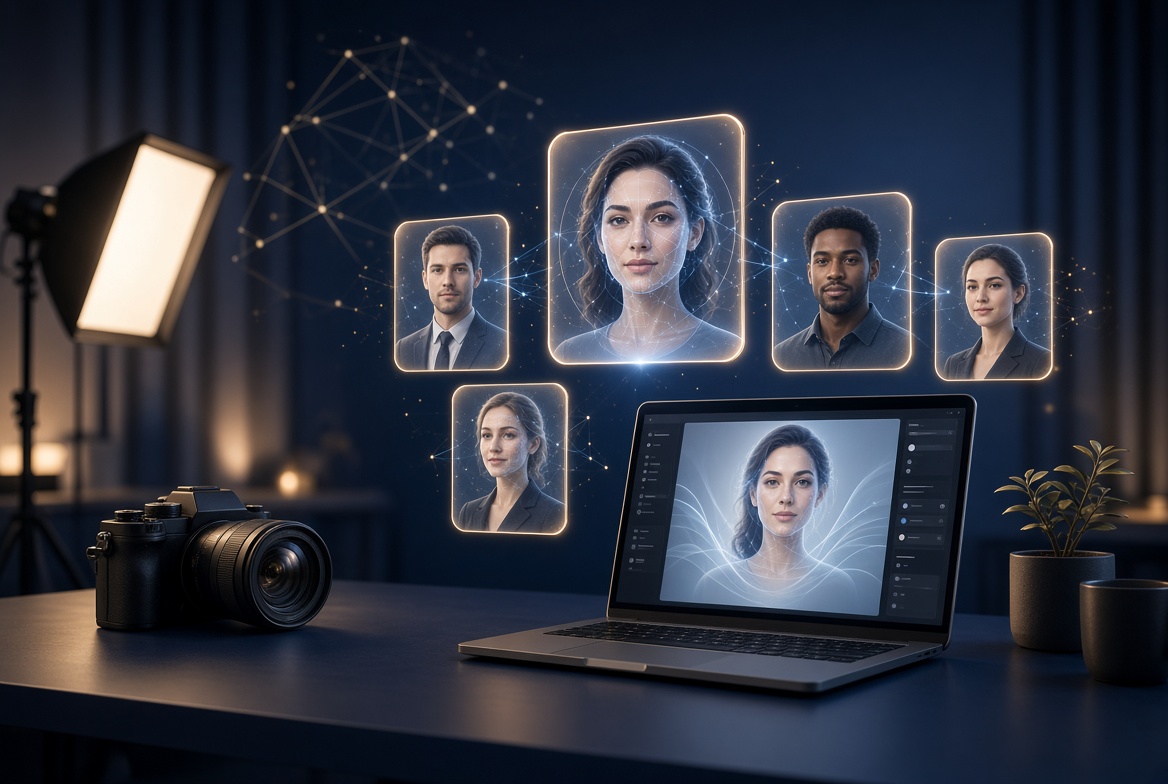
Your profile photo is the first thing a recruiter, client, or hiring manager sees. Before they read a single line of your resume or scroll through your portfolio, they make a split-second judgment based on that small square image. The best free AI headshot generators make it possible to look like you hired a professional photographer without spending hundreds of dollars on a studio session. Upload a casual selfie, let the AI study your facial features, and within minutes you can download a polished, studio-lit headshot ready for LinkedIn, your company website, or a job application.
In 2026, the technology behind these tools has matured dramatically. Early AI headshots were plagued by waxy skin, mismatched eyes, and backgrounds that melted into hairlines. Today, the best free AI headshot generators use advanced diffusion models trained on professional photography, producing results that hold up even on large screens. That said, not all of the best free AI headshot generators are created equal. Some tools offer a genuinely free tier that delivers a usable headshot at no cost, while others are freemium platforms that let you preview low-resolution versions before asking you to upgrade. Knowing the difference saves you time and disappointment.
This guide to the best free AI headshot generators walks you through ten real, well-known tools, grouped by what they do best. Whether you need a LinkedIn-ready corporate portrait, a friendly team-page photo, or a quick social media refresh, you will find the right fit here. For each tool we cover how it works, what its free tier actually gives you, and who should use it, plus a side-by-side comparison table, pro tips, a step-by-step workflow, and the mistakes that ruin AI headshots most often. Let us find the one that works for you.
Best Free AI Headshot Generators for LinkedIn Profiles
LinkedIn is where your headshot does the heaviest lifting. Profiles with professional photos get dramatically more views and connection requests, and recruiters openly admit they judge a profile picture before reading a headline. The three tools below rank among the best free AI headshot generators for LinkedIn, delivering that classic, trustworthy corporate look: clean background, natural lighting, and a confident expression that reads well even at thumbnail size.
1. Canva
Canva is best known as a design platform, but its AI-powered photo tools have quietly become one of the most accessible ways to produce a professional headshot for free. Instead of building you a headshot from scratch, Canva approaches the problem differently: you upload an existing photo of yourself and use its Magic Studio tools to clean it up, swap or blur the background, and adjust lighting until it looks like it came out of a studio. That editing-first approach is why Canva earns its place among the best free AI headshot generators: the advantage of this workflow is accuracy. Because the final image is built from your real photo rather than fully regenerated, the likeness is essentially perfect. Nobody will ever look at your Canva-polished headshot and wonder whether it is really you.
Canva offers a free tier that includes access to many of its AI features with daily credits, so you can experiment without paying anything. The platform is also ideal for finishing touches that dedicated headshot tools skip: you can resize your photo to LinkedIn’s exact dimensions, add subtle sharpening, or drop it into a template with your name and title for a personal branding card. The downside is that Canva will not invent a new outfit or place you in a virtual office the way dedicated headshot generators do. What you see is an enhanced version of the photo you brought in. For best results, start with a well-lit selfie taken against a plain wall, then let the background remover and lighting adjustments do the rest. If you already use Canva for resumes or presentations, this is the fastest path to a cohesive professional look across every document you send out.
2. Fotor
Fotor has been a popular online photo editor for years, and its dedicated AI headshot generator is one of the more polished free options available. The workflow is simple: upload a handful of selfies, pick from business, studio, casual, or creative styles, and the AI generates a set of professional portraits in seconds. Fotor’s model analyzes facial structure carefully, and the results tend to preserve recognizable features better than many competitors, which is why it ranks among the best free AI headshot generators for LinkedIn. Style variety is a genuine strength here, with dozens of preset templates covering everything from a neutral grey corporate backdrop to warmer, more creative looks for portfolio sites.
The free tier lets you try the generator without a subscription, though full-resolution downloads and larger batches sit behind paid plans. One thoughtful touch is Fotor’s privacy policy: uploaded photos are automatically deleted from its servers within 24 hours, which matters when you are handing over pictures of your face. Fotor also offers team headshot features for companies that want consistent profile photos across staff pages. If you need a quick, realistic corporate headshot and like having many styles to choose from, Fotor deserves a spot near the top of your list. Just be sure to upload varied, well-lit selfies, because like every tool in this category, the output quality depends heavily on what you feed it.
3. PFPMaker
PFPMaker takes a refreshingly simple approach. Upload one photo and the AI instantly generates dozens of profile picture variations by removing your background and placing you against professional backdrops, adding subtle enhancements, and tuning colors and shadows. There is no long training process and no waiting room. Within seconds you are scrolling through options, which makes it perfect for anyone who wants a fast upgrade rather than a full AI photoshoot. The free plan covers uploading and editing a photo, giving you enough to walk away with a genuinely usable profile picture.
It is worth being honest about what PFPMaker is and is not. The base image is your real photo with an AI-polished presentation, so likeness is never a concern, but you will not get the dramatic studio transformations that multi-selfie tools produce. Think of it as the quickest route from a decent selfie to a LinkedIn-ready headshot. The interface is beginner-friendly, works in any mobile or desktop browser, and requires no design experience. If you are in a hurry, say a recruiter asked for your photo this afternoon, PFPMaker is probably the fastest free path to something you can proudly upload.
Best Free AI Headshot Generators for Job Seekers and Resumes
When you are actively applying for jobs, your photo appears in more places than you think: resume headers, portfolio sites, email signatures, video interview thumbnails, and networking profiles. Consistency across these touchpoints signals professionalism. The best free AI headshot generators for job seekers are particularly useful because they are fast, forgiving of imperfect source photos, and geared toward the clean, approachable look that hiring managers respond to.
4. Remini
Remini is famous as a photo enhancer, but its AI portrait features make it a strong free headshot option too. The app’s core strength is restoration and upscaling: it takes blurry, low-resolution, or poorly lit photos and rebuilds them with remarkable clarity. This matters because many people do not have a good source photo to begin with. If your only decent picture of yourself is an old cropped group photo, Remini can often rescue it into something sharp enough for a professional profile. The AI portrait modes then apply professional-style enhancements, smoothing backgrounds and refining facial details.
Remini offers a free tier with limited generations, which is enough to test whether your source photo can be salvaged. The mobile app experience is smooth and fast, and results download at high resolution. One caution: Remini’s enhancements can occasionally over-smooth skin or subtly alter facial features, so always compare the output against a real photo of yourself before publishing. For job seekers working with nothing but an old smartphone snapshot, though, few of the best free AI headshot generators do more heavy lifting. Pair a Remini-enhanced photo with a clean background and you have a headshot that competes with tools costing far more.
5. Dreamwave
Dreamwave focuses on one thing: turning a few selfies into realistic, studio-quality headshots. The onboarding is straightforward. You upload several clear photos of your face, and the AI generates a gallery of professional portraits across different outfits, backgrounds, and lighting setups. Reviewers consistently praise Dreamwave for accuracy, placing it among the best free AI headshot generators for realistic results. The generated faces look like the actual person rather than a generic attractive stranger, which is the single most important quality in an AI headshot. Nobody wants a recruiter to be surprised when they show up on a video call looking different from their photo.
The free tier gives you a way to try the service and preview results, with full-quality downloads available on paid plans. Turnaround is reasonably quick, and the variety of styles, from formal corporate to smart casual, means you can build a small library of photos for different uses: one for LinkedIn, one for your resume, one for a conference speaker bio. Dreamwave is a good middle ground between the instant polishers like PFPMaker and the heavy training-based generators. If your priority is a headshot that genuinely looks like you, give Dreamwave a serious look before committing anywhere.
6. ProfilePicture.AI
ProfilePicture.AI leans into variety. Where some tools give you ten near-identical corporate shots, this one generates dozens of styles spanning professional, artistic, and themed looks. That breadth makes it fun to explore, and the free tier lets you preview low-resolution, watermarked versions so you can judge which styles suit you before spending anything. For job seekers, the professional presets are the obvious target: clean studio backgrounds, business attire, and natural expressions that work on resumes and LinkedIn alike.
The honest trade-off is specialization. Because ProfilePicture.AI spreads its energy across so many styles, its purely professional headshots are not quite as refined as those from dedicated corporate tools like Aragon or HeadshotPro. Think of it as a discovery tool: use the free previews to explore what kind of look flatters you, then either upgrade for the full-quality version or take those style insights to another generator. It is also a solid pick for freelancers and creatives who want one professional shot plus a few personality-driven images for social media. The watermarked free previews are genuinely useful for comparison shopping even if you never pay.
Best Free AI Headshot Generators for Teams and Professionals
Individual headshots are only half the story. Startups, agencies, and remote teams increasingly need consistent, on-brand photos for every team member without flying everyone to a photographer. The best free AI headshot generators for teams are built for higher fidelity and team workflows. They typically train a small AI model on your face, which takes longer but produces more convincing and varied results. Each offers a free tier or free previews so you can evaluate quality before committing.
7. Aragon
Aragon is one of the most talked-about names in AI headshots, and for good reason. You upload six to ten clear photos, answer a few questions about your preferred attire and backgrounds, and Aragon’s AI produces up to a hundred high-resolution headshots in a range of professional styles. Independent testers frequently rank it among the most realistic generators available, praising the natural lighting and faithful preservation of facial structure. The output genuinely looks like studio photography rather than AI art, which is exactly what professionals need for LinkedIn, company websites, and speaker pages.
The free tier is limited to previews, with full-quality downloads on paid packages, so treat Aragon as a premium-quality option you can evaluate for free rather than a fully free solution. Turnaround is usually under an hour, and the platform includes editing tools for fine-tuning favorites. Aragon also offers dedicated team headshot workflows, making it a strong choice for companies that want every employee photo to share the same polished aesthetic. If you are willing to pay for the best possible result after trying the free preview, Aragon is hard to beat. Even if you stay on the free tier, the preview gallery is a useful benchmark for judging every other tool on this list.
8. HeadshotPro
HeadshotPro pioneered the AI headshot category and remains a reference point for quality. Upload your selfies, and the platform generates dozens of professional headshots across corporate, creative, and casual styles. It is especially popular with remote teams because the results are consistent: different people, same studio quality, same framing conventions. That consistency is what makes a company team page look like everyone was photographed on the same day by the same photographer.
Like Aragon, HeadshotPro’s free access is best understood as a way to preview the experience, with full galleries available on paid plans. The platform’s long track record means the model has been refined over millions of generated photos, and it shows in details like natural-looking hands, realistic fabric textures on blazers, and backgrounds that do not warp around your silhouette. For professionals who will use the same headshot for years across LinkedIn, press kits, and conference bios, investing in a polished gallery makes sense. Start with the free preview to confirm the likeness, then decide whether the full set is worth it for your career stage.
9. Try It On AI
Among the best free AI headshot generators, Try It On AI stands out for speed and simplicity. It claims to generate premium-quality headshots from a single selfie with a turnaround measured in minutes rather than hours, which is a bold promise in a category where most tools ask for ten or more input photos. The platform offers LinkedIn-optimized styles and delivers a large batch of images so you have plenty of options to choose from. A free plan exists for trying the service, letting you see what the AI does with your photo before deciding on a full pack.
The single-photo approach is both the selling point and the caveat. Fewer input photos mean the AI has less information about your face, so results can occasionally over-smooth skin or miss subtle features. Upload the best, sharpest, most front-facing selfie you have, taken in good natural light, to give the model its best chance. For busy professionals who need something fast, Try It On AI is worth testing. Just review the outputs critically against a real photo, and pick the images where the likeness is strongest rather than the ones with the flashiest backgrounds.
Best Free AI Headshot Generators for Quick Social Media Upgrades
Not every headshot needs to scream corporate boardroom. For social media profiles, personal blogs, freelance marketplaces, and community platforms, you want something polished but approachable: a photo that looks professional without feeling stiff. The final tool in our roundup specializes in exactly that balance, delivering attractive results with minimal effort.
10. PortraitPal
PortraitPal has earned a loyal following among AI headshot enthusiasts for producing some of the most realistic results in the category. The process is familiar: upload several clear photos of yourself, and the AI generates a varied gallery of portraits with different scenes, lighting, and attire. What sets PortraitPal apart among the best free AI headshot generators in user reviews is the low artifact rate. Where many generators leave telltale signs like warped earrings, melted shirt collars, or uncanny skin texture, PortraitPal’s outputs tend to be clean and believable. That reliability matters when the photo will represent you on platforms where people actually look closely, like X, Instagram, or a personal website.
The service offers a free way to get started, with full galleries on paid tiers, so you can test the waters before spending anything. Turnaround takes a few hours rather than minutes, since the model training step is doing real work behind the scenes. PortraitPal is an excellent choice for freelancers, creators, and job seekers who want a small collection of versatile photos: one formal shot for LinkedIn, a warmer casual portrait for social media, and maybe something in between for a portfolio About page. As with every training-based tool, your results are only as good as your uploads, so follow the photo guidelines carefully and give the AI plenty of clear, varied angles to learn from.
Quick Comparison: The 10 Best Free AI Headshot Generators at a Glance
Use this table to compare the ten best free AI headshot generators side by side. Free-tier details change often, so treat the notes below as a snapshot of what each platform generally offers at no cost, and confirm current terms on the official site before you rely on them.
| Tool | Best For | How It Works | Free Tier Notes | Typical Turnaround |
|---|---|---|---|---|
| Canva | Polishing real photos | Enhance, relight, and change backgrounds on your own photo | Free tier with daily AI credits | Under a minute |
| Fotor | LinkedIn corporate looks | Upload selfies, choose from dozens of style presets | Free trial generations available | Seconds |
| PFPMaker | Fastest profile upgrade | One upload, instant background swap and enhancement | Free plan for upload and edit | Seconds |
| Remini | Rescuing old or blurry photos | AI upscaling plus portrait enhancement | Free tier with limited generations | Under a minute |
| Dreamwave | Realistic studio portraits | Trains on a few selfies, generates varied gallery | Free previews available | Minutes |
| ProfilePicture.AI | Exploring many styles | Generates dozens of professional and creative looks | Free watermarked previews | Minutes |
| Aragon | Premium realism, teams | Trains on 6-10 photos, up to 100 headshots | Free previews; full set paid | About 30-60 minutes |
| HeadshotPro | Consistent team photos | Selfie upload, large gallery of corporate styles | Free preview available | About an hour or more |
| Try It On AI | Speed from one selfie | Single photo in, large batch out | Free plan for trying the service | Minutes |
| PortraitPal | Low-artifact realism | Trains on your photos, varied scenes and attire | Free starter access | A few hours |
Pro Tips for Getting Studio-Quality Results From Free Tools
The difference between an AI headshot that fools everyone and one that looks obviously fake usually comes down to the input photos, not the tool, and the best free AI headshot generators all reward the same fundamentals. Professional photographers obsess over lighting, angles, and expression for a reason, and the AI needs the same raw material. Start by taking fresh selfies in soft natural light, ideally near a large window during the day, facing the light source so your face is evenly lit without harsh shadows. Avoid overhead indoor lighting, which carves unflattering shadows under your eyes and nose. A plain, uncluttered background helps the AI isolate you cleanly, and a simple solid-colored shirt photographs better than busy patterns that confuse the model.
Variety in your uploads is the second secret. If a tool asks for multiple photos, do not submit ten versions of the same bathroom mirror selfie. Give it different angles, different expressions, and different distances: a close-up, a shoulders-up shot, a slight three-quarter turn, a genuine smile and a neutral expression. This teaches the model what your face actually looks like from multiple perspectives, which dramatically improves likeness and reduces weird artifacts. Remove sunglasses, hats, and heavy filters from every upload. The AI cannot reconstruct what it cannot see, and it will happily invent a plausible but wrong version of your hidden features.
Finally, be deliberate about style selection. The most flattering AI headshot is not always the most dramatic one. Recruiters and clients respond to photos that look like a polished version of you on a good day, not a different person. Choose neutral or softly blurred backgrounds over exotic office panoramas, pick attire that matches your industry, and favor a natural smile over a severe model stare. When your gallery comes back, compare each candidate side by side with a real photo of yourself and keep only the ones where friends would instantly recognize you. One honest, recognizable headshot beats twenty glamorous strangers every time.
A Real-World Workflow: From Selfie to LinkedIn in 15 Minutes
Here is a practical workflow that combines the strengths of several of the best free AI headshot generators to produce a LinkedIn-ready headshot in about fifteen minutes of active effort. Start by taking five minutes to shoot fresh source photos. Stand near a window, phone at eye level, and take a dozen shots with slight variations in angle and expression. Pick the three sharpest, most natural-looking ones and delete the rest. This small investment in source quality pays off more than any setting inside the tools themselves.
Next, run your best photo through a free enhancer like Remini if it needs sharpening, or skip straight to generation. For the fastest result, upload your strongest photo to PFPMaker or Fotor and generate a first batch. Review the outputs with a critical eye: does the face match yours, are the eyes symmetrical, do the ears and hairline look natural, and is the background clean? If the first batch disappoints, try a different source photo before blaming the tool. Nine times out of ten, swapping the input fixes the output.
Once you have a winner, do a final polish pass. Open it in Canva’s free photo editor, crop to a tight head-and-shoulders composition, and make sure your eyes sit roughly on the upper third of the frame, which is the most flattering standard crop for profile photos. Export at the highest quality available and upload it to LinkedIn, then reuse the same image across your resume, email signature, and portfolio for a consistent personal brand. The whole process, from selfie to published profile photo, genuinely fits inside a coffee break, and the result can serve you for years until your appearance meaningfully changes.
Common Mistakes to Avoid With AI Headshot Generators
The most frequent mistake people make with the best free AI headshot generators is uploading a single low-quality photo and expecting miracles. AI headshot tools are powerful, but they cannot invent detail that was never captured. A blurry, dimly lit selfie taken from below will produce a blurry, oddly lit headshot of someone who vaguely resembles you. Take ten minutes to shoot proper source photos and you will outperform everyone who skips this step. Related to this is the trap of heavy filters: uploading photos with beauty filters, Snapchat effects, or extreme smoothing teaches the model a distorted version of your face, and the outputs will carry that distortion forward.
Another common error is choosing the wrong style for the context. That dramatic low-key portrait with the moody black background might look stunning, but it can feel out of place on a LinkedIn profile for an accountant or a customer success manager. Match the vibe to your industry: finance, law, and healthcare favor classic corporate looks, while tech, design, and media allow more creativity. Also watch for the uncanny details that slip through even good generators. Zoom in on your shortlisted images and check the teeth, the edges of glasses, earrings, shirt collars, and fingers near the face. AI still stumbles on these small elements, and one warped earring can undermine an otherwise perfect photo.
Finally, do not publish a headshot that no longer looks like you. It is tempting to keep the most flattering output, but if colleagues would not recognize you in a video call, the photo is working against you. Trust is the currency of professional profiles, and a headshot that misrepresents you spends it fast. A good rule of thumb: if you would hesitate to show the photo to someone who sees you every day, pick a different one. And remember the practical side too. Read each tool’s terms on commercial use and photo retention, delete uploads from platforms you do not trust with your data, and keep a copy of your final headshot saved locally so you are not locked into any single service.
Frequently Asked Questions
Are free AI headshot generators really free?
It depends on the tool. Some of the best free AI headshot generators, like Canva and PFPMaker, offer genuinely free tiers that let you create and download a usable headshot without paying. Others operate on a freemium model: they generate previews for free but charge for full-resolution downloads or larger galleries. Always check what the free tier includes before investing time in uploads. In general, expect free options to cover one good profile photo, while building a full gallery of styles usually requires a paid plan.
Will recruiters be able to tell my headshot is AI-generated?
With the best tools in 2026, usually not, provided you choose a natural-looking output. The giveaways are over-smoothing, mismatched likeness, and warped details like earrings or collars. Pick the image that looks most like your real self rather than the most glamorous one, and most viewers will simply assume you had a good photographer. That said, honesty matters: your headshot should be a polished version of you, not a different person.
How many photos do I need to upload for the best results?
It varies by tool. Quick enhancers like PFPMaker work from a single photo, while training-based generators like Aragon and PortraitPal ask for six to ten varied selfies. More is generally better, as long as the photos are clear, well-lit, and show your face from different angles. Never upload filtered, blurry, or group photos. Quality and variety of inputs are the single biggest factor in output quality.
Is it safe to upload my photos to these tools?
Reputable tools have clear privacy policies, and some, like Fotor, automatically delete uploads within 24 hours. Still, you are handing over biometric data, so be selective. Stick to well-known platforms, read their data retention terms, avoid uploading sensitive or intimate photos, and delete your data from the platform when you are done if that option exists. If a tool you have never heard of asks for extensive personal details beyond photos, treat that as a red flag.
Can I use my AI headshot on LinkedIn and my resume?
Yes, this is exactly what these tools are designed for. LinkedIn, resumes, portfolio sites, company team pages, and conference speaker bios are all common uses. Just make sure the photo genuinely resembles you and check the tool’s terms regarding commercial use if the headshot will appear in paid advertising or official company branding. For standard job searching and networking, you are on safe ground.
What is the best free option if I only need one headshot?
If you need exactly one professional photo as fast as possible, start with PFPMaker or Canva’s free tier, two of the best free AI headshot generators for quick results: upload a good selfie, generate, and download. If your only source photo is old or blurry, run it through Remini first. If you have a bit more time and want the most realistic result, try the free previews on Dreamwave or Aragon to see what a training-based generator produces, then decide whether the paid full version is worth it for you.
Do AI headshots work for team and company pages?
Yes, and this is one of the fastest-growing uses. Tools like HeadshotPro, Aragon, and Fotor offer team workflows designed to produce consistent, on-brand photos for every employee without organizing a group photoshoot. Each team member uploads their own selfies and receives headshots in matching styles. For remote and distributed companies, this is dramatically cheaper and easier than traditional photography while keeping the team page looking cohesive.
Conclusion: Choosing the Right best free AI headshot generators in 2026
Finding the best free AI headshot generators in 2026 comes down to matching the tool to your situation. Need one polished LinkedIn photo today at zero cost? Start with the free tiers at Canva, PFPMaker, or Fotor. Working with an old or blurry source photo? Remini can rescue it. Want the most realistic, studio-grade gallery and are open to a paid upgrade after trying free previews? Aragon, HeadshotPro, Dreamwave, and PortraitPal set the quality bar.
Whichever tool you choose, remember the fundamentals that no AI can replace: good lighting, clear varied source photos, and an honest likeness. Take fifteen minutes to shoot proper selfies, review your outputs critically against a real photo of yourself, and publish only the images where you are instantly recognizable. Do that, and your new AI headshot will open doors the way a great first impression should, without costing you a studio session.
Modern headshot generators have made studio-quality profile photos accessible to everyone. The best headshot generators turn a casual selfie into a polished portrait in minutes. When comparing headshot generators, test them with your own photo — the top headshot generators preserve your likeness.
Free tiers from leading headshot generators are perfect for job seekers and freelancers. Generate LinkedIn photos, test styles, and build a professional brand. As needs grow, paid plans from premium headshot generators unlock higher resolution and team features. Always start with a sharp, front-facing photo — even the best headshot generators struggle with blurry selfies.
Pair your headshot generators with realistic expectations. Users who upload natural photos get better results from headshot generators than those expecting a full glamour transformation.
Related guides: