The world of digital content creation has shifted radically. We have officially moved past the era of blocky, glitchy AI animations into a golden age of hyper-realistic, cinematic text-to-video capabilities. For indie filmmakers, digital marketers, YouTubers, and social media managers, this technological leap means Hollywood-grade visual effects (VFX) and crisp cinematic B-roll are now accessible right from a web browser.
However, the biggest roadblock for creators using free-tier tools remains the dreaded digital watermark. A massive logo plastered across the center of your clip immediately destroys your brand’s authority, breaks viewer immersion, and causes automatic rejection from partner monetization programs on platforms like YouTube Shorts, Instagram Reels, and TikTok.
Thankfully, several cutting-edge AI video generators offer generous free allowances that let you export pristine, high-definition clips completely clean of watermarks. After months of hands-on testing with the latest iterations of these engines, we have compiled the definitive guide to the 5 best free AI video generators without watermark in 2026.
Table of Contents
Master Comparison Matrix: Free AI Video Engines
To help you choose the right tool instantly depending on your project requirements, look at how these top five platforms stack up:
| AI Platform | Target Architecture / Strength | Free Allowance Policy | Output Clip Length | Max Resolution (Free Tier) | Watermark Presence |
| Hailuo AI (MiniMax) | Hyper-Realistic Physics & Fluid Human Motion | ~10 Generations per day (Refreshes daily) | 6 Seconds | Up to 1080p | None (Clean Exports) |
| Luma Dream Machine | Cinematic Camera Physics & Epic Landscapes | 30 Fast Generations per month | 5 Seconds | 720p Drafts | None (On standard Web view) |
| Kling AI | Physical Consistency & Multi-Shot Logic | ~66 Daily Credits (Via free check-in tasks) | 5–10 Seconds | 720p Output | None (When using base credits) |
| Pika Labs (Pika 2.0) | Stylized 3D Animation, Anime & VFX Alterations | ~150 Credits at signup + Daily updates | 3–4 Seconds | Up to 1080p | None (Via daily reward tasks) |
| Runway Gen-3 Alpha | Advanced Camera Direction & Prompt Control | 125 One-time credits (For pipeline testing) | 4–5 Seconds | 720p Turbo | None (On standard free drafts) |
Deep-Dive Analysis of the Top 5 Free AI Video Generators
1. Hailuo AI by MiniMax (The Best Overall for Frictional-Free Social Media Content)
Developed by the computational powerhouse MiniMax, Hailuo AI has established itself as an absolute favorite for social media content creators. The platform runs on their proprietary model pipeline, which treats physics, human texturing, and rapid lighting changes with extreme accuracy.
Why It Stands Out in 2026:
Most AI video generation startups give you a one-time credit package that vanishes within an hour. Hailuo AI flips the script by offering a recurring budget of roughly 10 generations per day that resets every 24 hours. More importantly, the output files lack any branding overlay or metadata stamp, providing clean video files right out of the box.
Core Strengths:
- Complex Prompt Compliance: It can parse long, descriptive paragraph prompts effortlessly. If you describe a background scene containing multiple specific objects, it will render them correctly without warping.
- Exceptional Micro-Expressions: Human faces generated by Hailuo look incredibly expressive during walking, talking, or laughing sequences.
- Seamless Image Animation: Its Image-to-Video feature breathes life into static portraits without turning the subject into a completely different person.
Structural Limitations:
- Clip lengths are firmly capped around 6 seconds.
- Free users share a public queue, meaning generation times can slow down during peak western afternoon hours.
TechUpdateLab Golden Prompt for Hailuo AI:
Cinematic close-up shot of a cyberpunk street vendor cooking noodles, steam rising vividly into soft neon rain lights, volumetric lighting, photorealistic skin textures, shot on 35mm lens, 4k depth of field.
2. Luma Dream Machine (The Best for High-End Cinematic Panoramas)
When Luma Labs introduced the Dream Machine, it redefined the text-to-video industry by showcasing an engine built from the ground up to understand cinematography rather than just stitching frames together.
Why It Stands Out in 2026:
Dream Machine acts like a virtual drone pilot. If you request a complex camera movement, such as a crane-shot lowering down into a valley or a tracking shot following a fast vehicle, the model calculates the motion blur, depth changes, and lens perspective shift perfectly.
Core Strengths:
- True Camera Language: Seamlessly handles advanced cinematic directional requests like Dolly Zoom, Dutch Angle, or Orbit Shots.
- Text Rendering inside Videos: It can cleanly render short text blocks on storefronts or billboards without the typical scrambled AI gibberish.
- Massive Asset Control: The web environment provides clear timeline nodes, allowing you to establish a definitive start frame and end frame to control exactly how the scene evolves.
Structural Limitations:
- The free tier limits your rendering resolution to a 720p draft ceiling.
- High priority processing queues are locked behind premium packages, meaning slow wait times during rendering spikes.
3. Kling AI (The Best for Multi-Angle Consistency & Physical Interactions)
Hailing as an enterprise-grade solution, Kling AI has earned praise for solving one of AI’s biggest headaches: structural deformities when objects interact (e.g., a person cutting bread, water splashing naturally into a glass, or a character walking behind a physical tree block).
Why It Stands Out in 2026:
Kling AI operates on an expansive multi-shot architectural logic. Its motion interpolation models guarantee that if a character is moving from left to right, their face, hair alignment, and clothing textures remain structurally identical throughout the shot.
Core Strengths:
- Anatomical Correctness: Humans have five fingers per hand, teeth line up accurately, and bone structural movements mimic true physics.
- Extended Multi-Prompt Clips: Free tiers let you generate clips extending up to 10 seconds under specific modes.
- Smart Credit Accrual: Their daily log-in task framework ensures persistent users can generate dozens of high-quality clips weekly without paying.
Structural Limitations:
- Rendering times can span from 5 to 15 minutes per request depending on server loads.
- Access to premium 1080p and 4K upscaling toggles is hidden behind their paid subscriptions.
4. Pika Labs / Pika 2.0 (The Best for Dynamic VFX and Stylized Animations)
For creators who focus strictly on stylized content—such as Pixar-style 3D models, classic hand-drawn anime, or quirky web animations—Pika Labs is an unparalleled sandbox environment.
Why It Stands Out in 2026:
Pika’s superpower lies in its localized video inpainting tools. Instead of regenerating an entire clip because one detail looks off, you can mask a specific section of your video track and instruct the AI to alter just that piece.
Core Strengths:
- The “Pika Effects” Engine: Users can trigger preset physical reactions such as forcing an object to melt, explode, inflate, or crush down into powder effortlessly.
- Incredible Aspect Ratio Scalability: Seamlessly switch layouts between 16:9 (YouTube), 9:16 (TikTok), and 1:1 (Instagram Feed) before generating.
- Audio Synchronization: Includes built-in AI sound effect generation that tracks the actual motion occurring in the clip.
Structural Limitations:
- Free generations are limited to shorter bursts of 3 to 4 seconds per render block.
- Pure photorealism can sometimes feel a bit plastic compared to Hailuo or Kling.
5. Runway Gen-3 Alpha (The Industry Standard for Professional Concept Artists)
Runway has long stood as the Hollywood-favored platform for AI video tools, frequently utilized by actual VFX production studios for cinematic storyboarding.
Why It Stands Out in 2026:
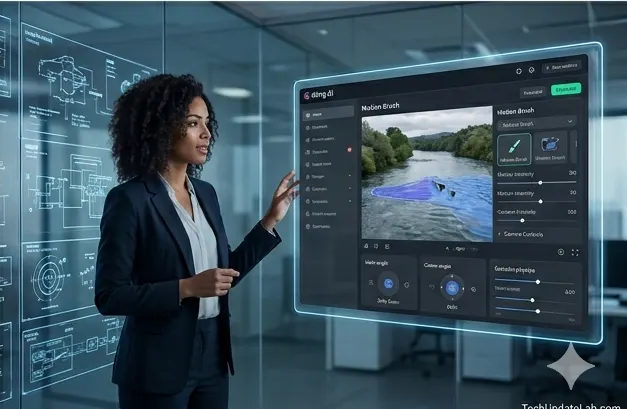
The Gen-3 Alpha pipeline utilizes a hyper-advanced structural layout tool called “Motion Brush.” By brushing over static items in an image (like smoke from a chimney or a flowing river), you gain isolated vector control over its velocity, direction, and intensity without distorting the rest of the canvas.
Core Strengths:
- Granular Structural Control: Advanced parameters allow you to fine-tune camera movement values precisely on x, y, and z axes.
- Flawless Artistic Styles: Can replicate oil painting, retro claymation, cyberpunk, architectural wireframe, or raw documentary aesthetics perfectly.
- High Render Speed: The Alpha Turbo models yield finished clips inside your browser dashboard in under a minute.
Structural Limitations:
- The free tier operates on a one-time allocation of 125 credits meant strictly for pipeline exploration.
- Does not offer a recurring daily or monthly free refresh mechanism unless your profile qualifies for specialized community rewards.
You can also read our ChatGPT Go vs Plus in 2026 – Which Plan Should You Actually Get?
Step-by-Step Production Framework: Crafting a Viral Watermark-Free Video
To build high-performing faceless YouTube or TikTok channels using these free tools, follow this specialized production pipeline to ensure pristine visual clarity:
Step 1: Always Start with Image-to-Video (I2V)
Never rely on typing text prompts directly into a video generator as your opening move. Video models focus their computational power on simulating movement, which often leaves background assets looking muddy. Instead:
- Go to a free high-quality image generator like Bing Image Creator or Lexica.
- Generate a stunning, high-definition static cover graphic of your scene.
- Upload that image into Hailuo AI or Kling AI as your starting seed layer. This forces the video engine to maintain 100% of the premium texture and resolution from the original graphic.
Step 2: Fragment Your Script Into 4-Second Micro-Scenes
Do not try to make an AI engine render a complete story or sequence in a single go. Break down your voiceover or concept script into distinct visual beats:
- Clip A (0-4s): Establishing exterior landscape shot.
- Clip B (4-8s): Medium shot of character reacting to an event.
- Clip C (8-12s): Extreme close-up of a critical object moving.
Generate these assets as separate, clean clips across your daily free allowances, then stitch them together inside a traditional timeline editor.
Step 3: Use Free Upscaling Tools to Bypass Resolution Restrictions
Since free video tiers often cap output resolutions at 720p, you can easily restore crisp detail without spending money:
- Download your clean, watermark-free 720p clip.
- Import the clip into the desktop version of CapCut or use web-based free AI video upscalers.
- Apply their built-in HD Video Enhancer or smart sharpening features. This reconstructs missing pixel details, instantly polishing your footage to look like it was shot on a premium camera.
Summary Choice Guide
- For TikTok/Reels Creators: Use Hailuo AI. The daily recurring allowances and zero watermark limitations make daily content scheduling completely frictionless.
- For Cinematic Film Trailers: Use Luma Dream Machine. Its deep understanding of tracking shots and focal changes delivers a polished, premium aesthetic.
- For Complicated Character Interactions: Use Kling AI. It offers unmatched consistency for hands, limb trajectories, and object physics.
Frequently Asked Questions (FAQs)
Are there completely hidden catches to watermark-free AI platforms?
No hidden catches, but there are structural trade-offs. Platforms like Hailuo or Kling offer watermark-free paths to build a massive global user base during their growth stages. To offset costs, they put free tiers into slower rendering queues and limit continuous clip lengths.
Can I legally monetize these watermark-free videos on YouTube?
Yes. YouTube fully allows the monetization of AI-generated content provided you have woven the clips into a distinct, high-value framework (such as adding a unique voiceover, commentary, educational structure, or advanced editing transitions). Note that if your output looks entirely indistinguishable from reality, you must select the “Altered Content” disclosure toggle inside YouTube Studio during upload.
Why do some tools give daily credits while others offer one-time pools?
Running specialized AI video models requires massive data-center GPU clusters. Startups offering one-time packages use them strictly as an invitation to test their capabilities, whereas large ecosystem engines (like MiniMax or Alibaba) leverage recurring daily models to test platform scaling and retain a massive active user base.
Best Free AI Video Generators Without Watermark in 2026
Looking for the best free AI video generators without watermark in 2026? You’re in the right place. AI-powered video creation has become faster, smarter, and more accessible than ever, allowing creators, marketers, students, and business owners to produce professional-quality videos in minutes—without expensive software or editing skills. The challenge is finding truly free AI video tools that don’t add distracting watermarks to your content.
You can also read our Best Free Video Editing Software 2026 – The Ultimate Guide for Creators
In this guide, we review the top free AI video generators without watermark that are making waves in 2026. Whether you need videos for YouTube, TikTok, Instagram Reels, Facebook, online courses, product promotions, or business presentations, these powerful AI tools can transform text prompts, blog posts, images, and ideas into engaging videos with just a few clicks.
We’ll compare features, video quality, customization options, free plan limitations, and overall value to help you choose the perfect AI video maker for your needs. From realistic AI avatars and voiceovers to automatic editing and stunning visual effects, these platforms offer impressive capabilities at no cost. Read on to discover which AI video generators deliver the best results without watermarks and start creating viral, professional-looking videos today—completely free.