Blox Fruits Calculator: Stop Wasting Your Stat Points
If you play Blox Fruits, you know how painful it is to mess up your stats. You dump points into the wrong category, realize your build feels weak, and then you are stuck grinding or paying Robux for a stat reset. A Blox Fruits calculator fixes that problem before it starts. It lets you plan your entire build on paper, so every point goes exactly where it should.
This guide covers everything about using a Blox Fruits calculator effectively. Whether you are a new player figuring out your first build or a veteran optimizing for PvP, the right calculator saves time and prevents expensive mistakes.

What Is a Blox Fruits Calculator?
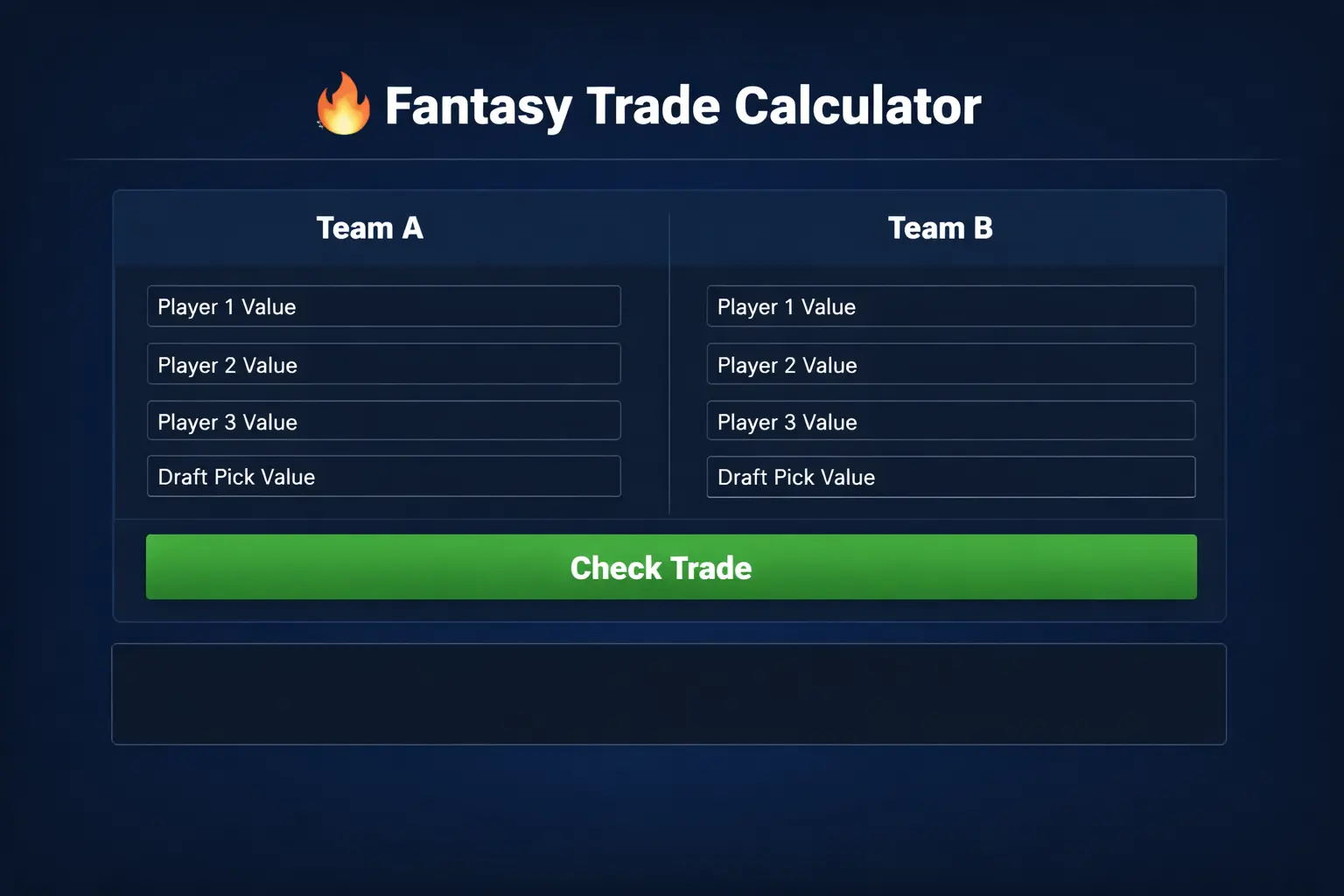
A Blox Fruits calculator is a free online tool that helps you plan how to distribute your stat points. In Blox Fruits, you earn stat points as you level up, and you assign them to categories like Melee, Defense, Sword, Gun, and Blox Fruit. The calculator shows you exactly what your stats will look like at any level with any distribution.
Think of it as a practice run. Instead of committing points in the game and hoping for the best, you test different builds in the calculator first. You can see your total health, energy, damage output, and other key numbers before spending a single point in the actual game.
Blox Fruits Calculator: Why You Need One
Stat resets in Blox Fruits are not free. You either pay Robux or find a specific NPC under certain conditions. Neither option is convenient when you are mid-grind and realize your build is wrong. A Blox Fruits calculator eliminates that frustration entirely.
The game also has level caps that keep increasing with updates. Every time the cap goes up, you get more points to distribute. A calculator helps you plan for the new cap instead of guessing.
How to Use a Blox Fruits Calculator
Using a Blox Fruits calculator is straightforward. Most calculators follow the same basic pattern, so once you learn one, you can use any of them.
First, enter your current level or your target level. The calculator uses this to determine how many total stat points you have available. In Blox Fruits, you get 3 stat points per level, so a level 1000 player has 3000 points to distribute.
Next, distribute those points across the stat categories. The main categories are Melee (increases fighting style damage and energy), Defense (increases health), Sword (increases sword damage), Gun (increases gun damage), and Blox Fruit (increases fruit ability damage and energy).
As you adjust the numbers, the calculator updates your projected stats in real time. You will see your max health, max energy, and damage multipliers change. Play with different distributions until you find one that fits your playstyle.
Blox Fruits Calculator: Understanding the Stat Categories
Melee is the foundation for fighting style users. If your main damage comes from Electric Claw, Dragon Talon, or similar styles, Melee is your priority. It also gives energy, which you need for dashes and abilities.
Defense is straightforward. More points mean more health. Every build needs some Defense, because dying constantly ruins your grinding efficiency. Even glass-cannon PvP builds usually invest in Defense.
Sword matters if you use swords as your primary weapon. Popular swords like Cursed Dual Katana or True Triple Katana scale directly with this stat. If you rarely swing a sword, skip it.
Gun is the least popular category, but it has niche uses. Some players run gun builds for fun or for specific strategies. Most players put zero points here.
Blox Fruit is essential for fruit mains. If your damage comes from Dough, Leopard, Dragon, or any other fruit, this stat directly boosts your ability damage. It also increases energy, similar to Melee.
Blox Fruits Calculator: Popular Builds to Try
A Blox Fruits calculator really shines when you use it to test proven build archetypes. Here are the most common ones, with the reasoning behind each distribution.
Blox Fruits Calculator: The Balanced Grinder
For general PvE grinding, a balanced build works well. Many players split points between their main damage stat (Melee, Sword, or Blox Fruit depending on their setup) and Defense. A common ratio is roughly 60 percent damage, 40 percent Defense.
Plug this into your Blox Fruits calculator and check the health number. You want enough health to survive a few hits from the enemies you are grinding. If the health looks low, shift more points to Defense until it feels comfortable.
The PvP Glass Cannon
Competitive PvP players often run high-damage builds with minimal Defense. The logic is simple: in PvP, the goal is to eliminate your opponent before they eliminate you. Extra damage shortens fights, which reduces the chance of making a mistake.
Use a Blox Fruits calculator to find the minimum Defense that keeps you from getting one-shot by common combos. Everything else goes into damage. This is risky but effective in skilled hands.
The Tank
Some players prefer survivability over raw damage. A tank build maxes Defense first, then puts remaining points into their damage stat. This works well for boss fights, raids, and situations where you need to stay alive while teammates deal damage.
The calculator helps you see exactly how much health you gain per point of Defense, so you can decide where the diminishing returns kick in.
The Hybrid
Hybrid builds split damage between two categories, like Sword and Blox Fruit. This gives flexibility but reduces peak damage in either category. Hybrids are fun and versatile, but they require careful planning.
This is where a stat calculator is most valuable. The math for hybrid distributions is not intuitive. The calculator shows you whether the split actually works or whether you would be better off committing to one damage type.
Common Mistakes When Planning Stats
The biggest mistake is spreading points too thin. New players often put points in every category, thinking versatility is good. In practice, this creates a character that is mediocre at everything. Pick one or two damage stats and commit.
Another common error is ignoring Defense entirely. It is tempting to put everything into damage, but a character with no health dies to area attacks and combo starters. Even aggressive builds need a Defense baseline.
People also forget about energy. Dashes, Flash Step, and many abilities consume energy. If you run out mid-fight, you are a sitting duck. Both Melee and Blox Fruit stats contribute to energy, so make sure your build generates enough.
Planning for Updates
Blox Fruits updates regularly, and balance changes can shift which builds are strong. A fruit that dominates today might get nerfed next month. When planning with a the calculator, avoid over-committing to a single strategy that depends on one specific item being overpowered.
Keep some flexibility in your thinking. The calculator lets you test multiple scenarios quickly, so run the numbers for two or three different builds before deciding.
this tool: Level-by-Level Planning
Most players do not jump straight to max level. You progress gradually, earning points as you go. A good approach is to use the a build planner at key milestones to check whether your distribution still makes sense.
At early levels (1-700), focus on your main damage stat and Defense. You do not have enough points for fancy hybrid builds yet. Keep it simple.
At mid levels (700-1500), you can start refining. This is when many players switch from a grinding build to something more specialized. Use the calculator to plan the transition before you commit points.
At high levels (1500+), you have enough points to make interesting choices. This is where hybrid builds become viable and where small optimizations actually matter. The calculator helps you squeeze maximum value from every point.
When to Reset
Sometimes your build just does not work, and you need a fresh start. Before paying for a reset, use a the stat planner to plan the new distribution completely. Know exactly where every point is going before you reset.
This prevents the frustrating cycle of resetting, guessing, and resetting again. One planned reset is cheaper than three impulsive ones.
Advanced Tips for Calculator Users
Here is something experienced players do: they use the stat calculator to reverse-engineer other players builds. If someone in PvP is hitting surprisingly hard or surviving longer than expected, you can estimate their stat distribution and test it yourself.
Another tip is to calculate breakpoints. Certain health thresholds let you survive specific boss attacks. Certain damage thresholds let you one-shot specific enemies. Use the calculator to find the minimum investment needed to hit those breakpoints, then allocate remaining points freely.
Pay attention to the level cap. As of recent updates, the max level continues to increase. Each cap increase gives you more points. Revisit the calculator after every major update to redistribute for the new cap.
Combining With Other Tools
A the calculator handles stats, but it does not tell you which fruit, sword, or fighting style to use. Combine it with tier lists, combo guides, and community discussions for a complete picture. The calculator is one tool in a larger toolkit.
Watch update patch notes closely. When the developers adjust damage formulas or stat scaling, old calculator results may not apply. Good calculator sites update their formulas quickly, but it is worth double-checking after major patches.
Frequently Asked Questions
Is using a this tool cheating?
No. A calculator does not modify the game or give you unfair advantages. It is just math. You are planning your stats on paper instead of in your head. The game developers have no problem with it.
Do I need to download anything?
Most a build planners run in your web browser. No download, no installation, no account needed. Just open the site and start planning.
How accurate are they?
Good calculators match the game formulas exactly. The numbers you see in the calculator should match what you see in the game. If they do not, the calculator may be outdated, so try a different one.
Can it help with PvP?
Absolutely. PvP is where precise stat planning matters most. The difference between winning and losing often comes down to small optimizations. A the stat planner helps you find those edges.
What if I change my mind after distributing points?
That is exactly what the calculator prevents. But if it happens anyway, you can reset stats through the game. Just plan the new build in the calculator first so you do not repeat the mistake.
Final Thoughts on Using a stat calculator
A the calculator is one of those tools that seems optional until you try it, and then you wonder how you played without it. It takes five minutes to plan a build, and it saves hours of frustration from bad stat distributions.
The key is to actually use it before committing points, not after. Make it a habit. Every time you are about to dump a chunk of points into a stat, pause and check the calculator first. Your future self will thank you.
Whether you are grinding to max level, preparing for raids, or climbing the PvP ranks, proper stat planning gives you an edge. The calculator does the math. You make the decisions. That is how it should work.

this tool: Race and Build Synergy
Your race choice in Blox Fruits affects which stats matter most, and a good a build planner session should account for that. Each race has passive bonuses that shift the math in subtle but important ways.
Human race boosts damage when your health drops low, which pairs well with aggressive builds that skimp on Defense. If you run Human, you can afford to push more points into damage because your racial ability compensates when things get dangerous. Test this in the calculator by comparing effective damage output at different health thresholds.
Shark race reduces damage taken, which effectively multiplies the value of every Defense point. A Shark player with moderate Defense can survive as well as another race with heavy Defense investment. This frees up points for damage. Run both scenarios through your the stat planner to see the difference.
Rabbit race is about speed. It does not directly change stat math, but faster movement means you dodge more attacks, which reduces how much Defense you need. Aggressive Rabbit players often run the glassiest builds in the game.
Angel race offers healing and stamina benefits that support sustained fights. If you play Angel, you might prioritize energy stats higher because your playstyle involves longer engagements with more ability usage.
Ghoul race gives lifesteal, which means dealing damage also heals you. This creates an interesting synergy with high-damage builds. The more damage you deal, the more you heal, which partially replaces the need for raw health. A stat calculator cannot model lifesteal directly, but you can mentally discount your Defense needs when running Ghoul.
Cyborg race provides energy and defensive bonuses that make hybrid builds more viable. If you have Cyborg, experiment with splits that would be too spread thin on other races.
Planning Around Your Race
Before finalizing any build in a the calculator, write down your race and its bonuses. Then ask whether those bonuses change your priorities. In most cases, they do. A build optimized for Human will look different from one optimized for Shark, even at the same level with the same equipment.
Equipment and Accessories: The Other Half of the Equation
Stats are only part of your character power. Accessories, swords, guns, and fruits all contribute, and a this tool works best when you consider them together.
Accessories can add hundreds of health or significant damage percentages. When planning stats, check what your accessories provide. If your accessory already gives a large health boost, you might need fewer Defense points than the calculator alone suggests. Conversely, if your accessories are damage-focused, you may want extra Defense to compensate.
Sword choice matters for Sword builds. Some swords have better base damage or special effects that change how much you benefit from additional Sword stat points. A top-tier sword with moderate stat investment often outperforms a weak sword with maxed stats. The calculator shows raw numbers, but equipment quality shifts the real-world results.
Fruit choice is even more impactful. The difference between a well-chosen fruit and a random one dwarfs most stat optimizations. Before fine-tuning stats in a a build planner, make sure your fruit, fighting style, and weapons are settled. Optimize the big decisions first, then use the calculator for the fine details.
Stat Requirements for Equipment
Some equipment has stat requirements. Certain fighting styles or abilities unlock only when you invest enough points in the relevant category. Check these requirements before planning. There is nothing worse than building around a fighting style you cannot actually use because you skimped on its stat.
the stat planner Strategies for Different Game Modes
Grinding, boss fights, raids, and PvP all reward different stat distributions. A versatile player might maintain mental templates for each mode and switch between them when resetting.
For grinding, efficiency is everything. You want to kill enemies quickly without taking breaks to heal. This usually means high damage and enough Defense to avoid getting interrupted. Speed matters too, because faster kills mean faster leveling. Use your stat calculator to find the damage threshold that lets you one-shot or two-shot your current grinding targets.
For boss fights, survivability jumps in priority. Bosses hit hard and have large health pools, so fights last longer. You need enough health to survive their strongest attacks and enough energy to keep dodging. Damage is still important, because longer fights mean more chances to make mistakes, but do not sacrifice all your Defense for it.
For raids, consider your role. If you are the main damage dealer, build for damage. If you are supporting or drawing aggro, build for survival. Coordinate with your team rather than everyone running the same glass-cannon setup.
For PvP, everything gets more nuanced. Player opponents exploit weaknesses that AI enemies ignore. If your Defense is too low, experienced players will punish you. If your damage is too low, you cannot finish kills. The best PvP builds find a precise balance, and that precision comes from careful calculator work.
Adapting to the Meta
The PvP meta shifts with every update. New fruits, rebalanced fighting styles, and changed mechanics all affect which builds perform well. When the meta shifts, revisit your the calculator before everyone else does. Early adapters gain a temporary advantage while others are still running outdated builds.
Follow community discussions to spot meta shifts early. When top players start talking about a new strong combination, test it in the calculator immediately. You might discover the next dominant build before it becomes common knowledge.
When you’re getting started with Blox Fruits Calculator, the biggest mistake is trying to do everything at once. The people who get the best results from Blox Fruits Calculator start small, focus on one specific goal, and build from there. Think of Blox Fruits Calculator as a skill you develop over time, not a switch you flip. Each week you spend working with Blox Fruits Calculator, you’ll notice patterns in what works and what doesn’t.
Not every approach to Blox Fruits Calculator is right for every person. Your budget, your experience level, and your end goal all shape which Blox Fruits Calculator strategy makes sense for you. Someone exploring Blox Fruits Calculator for the first time needs different guidance than someone who’s been using Blox Fruits Calculator for months. The advice below assumes you’re past the absolute basics but still figuring out the details.
The real payoff from Blox Fruits Calculator comes from consistency, not perfection. You don’t need the most expensive tools or the most advanced setup to benefit from Blox Fruits Calculator. What matters is showing up regularly, paying attention to results, and adjusting as you learn. Most people overthink Blox Fruits Calculator at the start and underthink it later.
Tracking Your Progress With a this tool
Smart players do not just plan once. They track their stats over time and adjust as they level. A simple approach is to save calculator snapshots at every hundred levels. Compare your actual in-game stats to the projections. If they match, your planning is on track. If they diverge, figure out why.
This habit also helps when updates change the level cap. Instead of scrambling to redistribute points, you already have a framework. Just extend your existing plan to the new cap using the calculator.
Some players keep a text document with their planned distributions for different builds. When they reset, they copy the numbers directly. This eliminates guesswork and ensures consistency. It takes a few minutes to set up and saves headaches later.