Laptop Bags Bag: Why the Right Laptop Bag Matters More Than You Think
Your laptop is probably the most expensive thing you carry every day, and the bag you put it in is its only protection against drops, rain, theft, and the general chaos of commuting. Yet most people spend more time choosing a phone case than choosing from the crowded world of laptop bags. A good bag does more than prevent damage: it organizes your gear, saves your back and shoulders, and makes the daily transition between home, office, and everywhere else genuinely smoother.
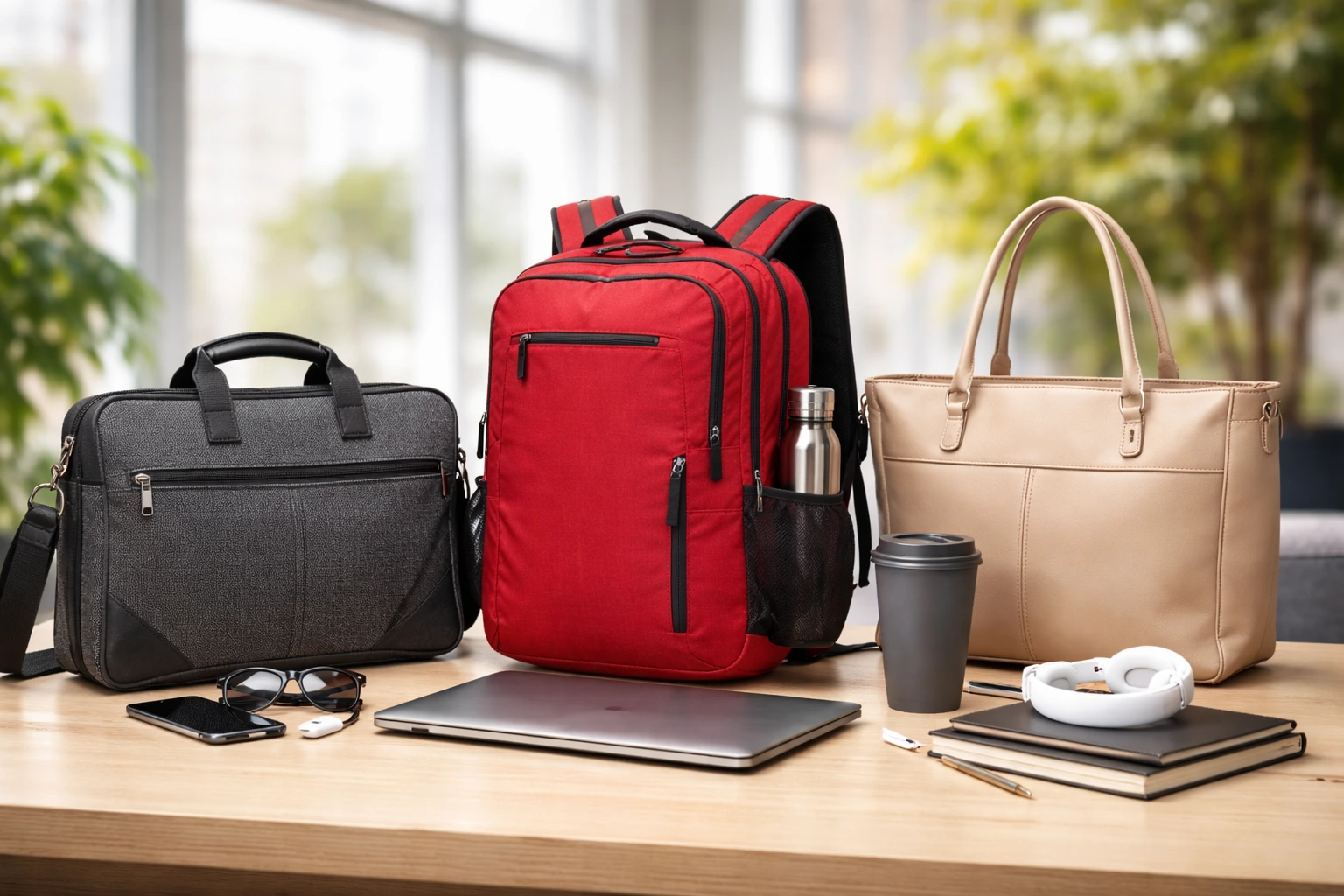
The market in 2026 is better than ever, with options for every lifestyle. Slim sleeves for minimalists who travel light, professional briefcases and messenger bags for the office, rugged backpacks for commuters and students, and cavernous travel backpacks for digital nomads who carry their office on their back. The trick is matching the bag to how you actually live, not how you wish you lived. A beautiful leather briefcase is the wrong choice if you bike to work in the rain; a hiking-style pack looks out of place in a boardroom.
This guide breaks down the best laptop bags for work, travel, and daily use in 2026. We will cover what to look for, which styles suit which lifestyles, standout picks across budgets, and how to make any bag last longer. By the end, you will know exactly what to buy and why.
Laptop Bags Bag: What to Look for in Laptop Bags
Before falling in love with a design, check the fundamentals. These are the features that separate bags you love from bags you tolerate.
Laptop Bags Bag: Protection: Padding, Suspension, and Weather Resistance
Laptop protection starts with a dedicated, padded compartment. The best laptop bags suspend the laptop slightly above the bottom of the bag, so setting the bag down hard does not slam the machine into the ground. Look for thick foam or molded padding on all sides of the compartment, plus a soft lining that will not scratch the lid. A snug fit matters too; a 13-inch laptop swimming in a 16-inch compartment shifts around and takes impacts it should not.
Weather resistance is non-negotiable if you commute outdoors. Water-resistant fabrics like treated nylon or polyester shed light rain, but seams and zippers are the weak points where water sneaks in. Look for sealed or covered zippers and storm flaps over main compartments. For serious downpours, a rain cover that deploys from a hidden pocket is the gold standard; it adds negligible weight and saves your gear when the sky opens up. Remember that “water-resistant” and “waterproof” are very different claims, and few bags are truly waterproof without a cover.
Laptop Bags Bag: Comfort: Straps, Back Panels, and Weight
An uncomfortable bag stays home, which defeats the purpose. For backpacks, wide padded shoulder straps with sternum straps distribute weight across your torso instead of digging into your shoulders. A padded back panel with airflow channels keeps you cooler on warm commutes. Hip belts matter on larger travel packs but are overkill for daily office carry. For messenger bags and briefcases, a wide, padded, non-slip shoulder strap is essential; narrow straps cut into the shoulder under load.
Pay attention to the bag’s empty weight. Some “premium” laptop bags weigh over four pounds before you put anything in them, which is a real penalty when you are also carrying a laptop, charger, water bottle, and lunch. Lighter is not always better if it means flimsy construction, but every unnecessary ounce is one you will feel at the end of a long day. Try to keep the loaded bag under ten percent of your body weight for daily carry.
Laptop Bags Bag: Organization: Pockets, Compartments, and Access
Organization is where good bags earn their keep. A well-designed bag has a place for everything: a padded laptop sleeve, a tablet pocket, a quick-access pocket for phone and keys, pen loops, and a main compartment that opens wide enough to see inside. Cable organizers, either built-in or as separate pouches, prevent the tangled mess that seems to breed in unorganized bags.
Think about access patterns. Top-loading backpacks are simple and secure but annoying when you need something at the bottom. Clamshell designs that open flat like a suitcase make packing and airport security far easier. Side-access laptop compartments let you pull the machine out without opening the whole bag, a genuine convenience at TSA checkpoints. The best laptop bags match their access design to how you will actually use them day to day.
Laptop Bags Bag: Best Laptop Bags for Work
Work bags need to look professional, protect expensive equipment, and keep you organized through long days. These categories cover the main office lifestyles.
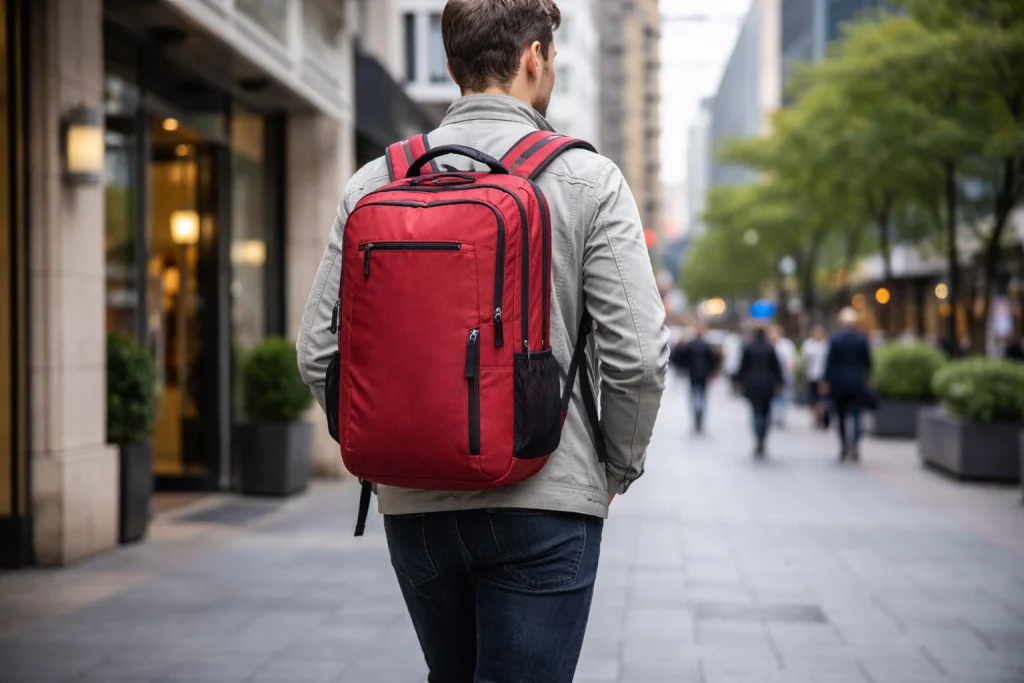
Professional backpacks have conquered the modern office. They carry more comfortably than any shoulder bag, keep both hands free for coffee and doors, and no longer look out of place in most workplaces. The best work backpacks use refined materials and clean designs that read as professional rather than collegiate. Look for a structured shape that stands upright on its own, a luggage strap that slides over a rolling suitcase handle for business trips, and a professional color palette. A 20 to 25-liter capacity handles a laptop, documents, lunch, and a light jacket without bulk.
Messenger bags and briefcases remain the choice for formal environments and client-facing roles. A quality leather or waxed-canvas messenger develops character with age and looks better at year three than the day you bought it. The trade-off is single-shoulder carrying, which gets uncomfortable with heavy loads; keep the contents minimal or accept the asymmetry. Briefcases with modern interiors, padded laptop sections, and shoulder strap options bridge traditional looks with contemporary needs.
For the minimalist commuter, slim sleeves and folios paired with a separate tote or backpack offer flexibility. A well-padded sleeve protects the laptop inside any bag, letting you switch carriers without rethinking protection. This modular approach works well if your carry varies: sleeve plus gym bag on workout days, sleeve plus briefcase for client meetings. Quality sleeves cost little and extend the useful life of every bag you own.
Best Laptop Bags for Travel
Travel demands more from laptop bags: airline compatibility, security, and the capacity to serve as your personal item or even your only bag.
Carry-on travel backpacks in the 30 to 45-liter range are the digital nomad standard. They open clamshell-style for easy packing, include lockable zippers for hostel dorms, and have hideaway straps that tuck away when checking the bag. A dedicated laptop compartment accessible without opening the main section speeds up security lines. Look for bags that meet major airlines’ personal-item or carry-on dimensions; an inch over can mean a forced gate check. Compression straps keep the load stable when the bag is not full.
Anti-theft features matter more on the road. Lockable zippers, cut-resistant fabrics, and hidden pockets for passports and backup cards provide real peace of mind in crowded stations and busy streets. RFID-blocking pockets are a nice bonus, though the actual risk they address is debated. More practically, a bag that does not scream “expensive electronics inside” attracts less attention; understated designs are a security feature in themselves.
For lighter travel, convertible bags that switch between backpack, shoulder, and briefcase modes adapt to different situations. Wheels are tempting for heavy loads, but rolling laptop bags struggle on cobblestones, stairs, and crowded platforms where backpacks glide through. If you check luggage and carry only essentials onboard, a compact under-seat backpack with organized electronics storage is the sweet spot: everything you need for the flight, nothing you do not.
Best Laptop Bags for Daily Use and Students
Daily carry and student life punish bags with constant use, heavy textbooks, and tight budgets. Durability per dollar is the metric that matters.
Student backpacks need to survive years of abuse. Reinforced stitching at stress points, heavy-duty zippers, and abrasion-resistant fabrics separate bags that last four years from bags that die in one semester. A 25 to 30-liter capacity handles a laptop plus textbooks without becoming unwieldy. Water bottle pockets on both sides, a front organizer pocket for small items, and a padded laptop compartment cover the essentials. Reflective details are a thoughtful safety touch for students walking or biking after dark.
For daily commuters, the calculus is comfort plus weather protection. You will carry this bag hundreds of times a year, so strap comfort and back ventilation deserve priority over style flourishes. A rain cover or genuinely water-resistant construction is essential for anyone who walks, bikes, or waits for transit. Quick-access pockets for transit cards, phones, and keys save fumbling at turnstiles. And a bag that fits under a desk or between your feet on a train keeps your gear close and your commute civilized.
Hybrid workers who split time between home and office have unique needs. A bag that works as a mobile office, with room for a laptop, charger, notebook, headphones, and lunch, eliminates the daily repacking ritual. Keep a dedicated “go bag” packed and ready by the door; the mental relief of grabbing one bag and knowing everything is inside is worth more than any single feature. Some of the best laptop bags for hybrid work are slightly larger than pure office bags, around 22 to 28 liters, to accommodate the variability.
Materials and Build Quality: What Lasts
Material choice determines how a bag ages. Ballistic nylon is the durability champion, resisting abrasion and tearing through years of hard use. Standard nylon and polyester are lighter and cheaper; look for higher denier numbers, which indicate thicker, tougher fabric. Canvas and waxed canvas look fantastic and age beautifully but need occasional re-waxing to maintain water resistance. Leather is gorgeous and durable but heavy and expensive, and it demands conditioning.
Zippers are the most common failure point on cheap laptop bags, so they deserve scrutiny. YKK and similar branded zippers are the industry standard for reliability. Larger zipper teeth handle stress better than tiny fashion zippers. Reverse-coil zippers resist water better than standard designs. Test every zipper before buying; it should glide smoothly without catching, even around curves. A bag with great fabric and bad zippers is a bag with a built-in expiration date.
Stitching and construction details reveal quality. Double stitching at strap attachments, bar tacks at stress points, and bound interior seams all signal a bag built to last. Check that straps are stitched through reinforced panels rather than just tacked to the surface. Metal hardware outlasts plastic, though quality plastic buckles are fine for light-duty use. These details are invisible in product photos but obvious in person, which is why handling a bag before buying, when possible, is so valuable.
Specialty Laptop Bags Worth Knowing
Beyond the mainstream categories, specialty laptop bags serve specific needs exceptionally well. Camera-laptop hybrid bags with customizable dividers serve photographers and videographers who carry both. They are heavier and more expensive than pure laptop bags, but replacing two bags with one is worth it for frequent shooters. Look for side access to the camera compartment so you can grab the camera without unpacking everything.
Gaming laptop bags address the reality that gaming machines are bigger, heavier, and hotter than ultrabooks. Larger padded compartments fit 17-inch machines, extra ventilation prevents heat buildup during transport, and additional pockets handle the chunky power bricks gaming laptops require. Standard slim bags simply do not fit these machines, so buying purpose-built is not optional.
Eco-friendly bags made from recycled ocean plastic, recycled PET, or sustainable materials appeal to environmentally conscious buyers. The best of them match conventional bags on durability and design; sustainability is no longer a compromise. If this matters to you, look for specific certifications and material disclosures rather than vague “eco” marketing claims.
How to Choose: A Practical Decision Framework
Start by measuring your laptop, not guessing. Manufacturers’ size claims are approximate, and a bag designed for “up to 15.6 inches” may fit your specific machine tightly or loosely depending on its bezels. Check the bag’s internal laptop compartment dimensions against your laptop’s actual measurements, allowing a little room for a slim sleeve if you use one.
Next, audit a typical week. Count how many days you commute, what you carry each day, and your transport modes. A bike commuter needs different features than a driver; a frequent flyer needs different features than a home-office worker who visits the office twice a week. List your non-negotiables: must fit under an airplane seat, must survive rain, must look professional, must carry gym clothes too. The bag that checks your actual boxes beats the bag with the best reviews for someone else’s life.
Set a realistic budget with the cost-per-use math. A $200 bag carried 250 days a year for five years costs sixteen cents per use. A $60 bag replaced annually costs more over the same period and performs worse throughout. Buy the best bag you can afford in the category that fits your life; the daily difference between adequate and excellent is larger than the price gap suggests.
Caring for Your Laptop Bag
Even the best laptop bags last longer with basic care. Empty and shake out debris regularly; grit works into zippers and accelerates wear. Spot-clean stains promptly with mild soap rather than machine washing, which destroys structure and water-resistant coatings. Air dry thoroughly before storing, and store bags stuffed lightly to hold their shape rather than crushed flat.
Maintain zippers with occasional lubrication; a dry zipper is a failing zipper. Reapply water-repellent treatments annually on bags that see rain. Condition leather components to prevent cracking. And respect weight limits; chronically overloading a bag stresses every seam and strap simultaneously. A little maintenance extends a quality bag’s life from years to decades, making your investment pay off many times over.
Final Thoughts
The perfect bag is the one that disappears into your routine: protecting your laptop without thought, organizing your gear intuitively, and carrying comfortably day after day. Whether you need a professional work companion, a travel-ready hauler, or a daily commuter that shrugs off weather, the 2026 market has excellent laptop bags at every price point. Measure your laptop, audit your week, prioritize protection and comfort over styling, and buy quality once. Your laptop, your back, and your daily sanity will all thank you.
When you’re getting started with Laptop Bags Bag, the biggest mistake is trying to do everything at once. The people who get the best results from Laptop Bags Bag start small, focus on one specific goal, and build from there. Think of Laptop Bags Bag as a skill you develop over time, not a switch you flip. Each week you spend working with Laptop Bags Bag, you’ll notice patterns in what works and what doesn’t.
Not every approach to Laptop Bags Bag is right for every person. Your budget, your experience level, and your end goal all shape which Laptop Bags Bag strategy makes sense for you. Someone exploring Laptop Bags Bag for the first time needs different guidance than someone who’s been using Laptop Bags Bag for months. The advice below assumes you’re past the absolute basics but still figuring out the details.
When you’re getting started with Laptop Bags Bag, the biggest mistake is trying to do everything at once. The people who get the best results from Laptop Bags Bag start small, focus on one specific goal, and build from there. Think of Laptop Bags Bag as a skill you develop over time, not a switch you flip. Each week you spend working with Laptop Bags Bag, you’ll notice patterns in what works and what doesn’t.
Not every approach to Laptop Bags Bag is right for every person. Your budget, your experience level, and your end goal all shape which Laptop Bags Bag strategy makes sense for you. Someone exploring Laptop Bags Bag for the first time needs different guidance than someone who’s been using Laptop Bags Bag for months. The advice below assumes you’re past the absolute basics but still figuring out the details.
Quick Checklist Before You Buy
Run through this list before clicking buy or heading to the register. Does the padded compartment fit your exact laptop model with a little room to spare? Are the zippers smooth and sturdy, preferably from a reputable manufacturer? Is the empty weight reasonable for how far you carry it daily? Does the strap system suit your commute, with padding and adjustability where you need it? Is there a quick-access pocket for phone and keys, plus enough organization for chargers and accessories? Finally, does the style suit the rooms you walk into? Answer yes to all six and you have found your match.
One last tip: register your product if the manufacturer offers it. Many premium brands extend warranties or offer repair programs for registered owners, turning a good purchase into a decade-long relationship. Keep the receipt and tags until you are certain the bag suits your routine; most quality retailers allow returns within a month or more.